Clauder
Connect RStudio to AI assistants for interactive R coding and data analysis.
- Transport
- Not stated
- Package
- —
- Registry id
- io.github.IMNMV/clauder
No install snippet on purpose. A working MCP config is a command, its arguments and an environment block — the last two are where API keys live, so this catalogue never stores them and cannot publish them. Follow the link above for the authors' own instructions.
ClaudeR connects MCP-configured LLM agents, like Claude Code or Codex, to the R session you are already working in. The agent runs code where your cleaned data and fitted models actually are, sees the plots it draws, reads the objects in your environment, and can edit the file open in your editor. A companion Python package does the same for a live Python session, and both work in RStudio and Positron.
Several agents can share one session and divide the work between them, or you can run separate sessions side by side so each agent works on its own dataset without touching the others.
It covers much of what a paid research AI tool does, with the work happening in your own session and a record of every line an agent ran.
Quick Start
# Install
if (!require("devtools")) install.packages("devtools")
devtools::install_github("IMNMV/ClaudeR")

# Set up your AI tool
library(ClaudeR)
install_clauder()          # For Claude Desktop / Cursor
install_cli(tools = "claude")  # For Claude Code CLI

# Start the server in RStudio
claudeAddin()
AI agents: See llms-install.md for automated setup instructions.
Demo
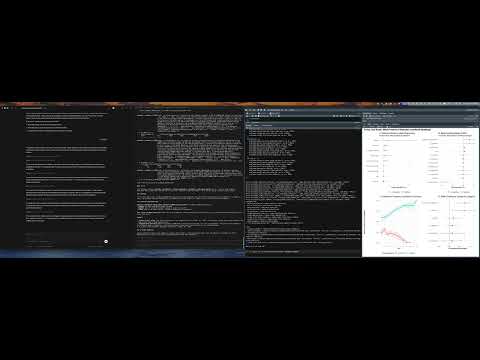
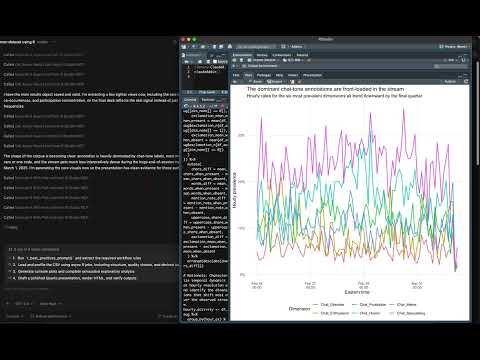
| Single agent via Claude Desktop App | Multi-agent: Codex + Claude Code via CLI | GPT 5.4 Codex: Data analysis + Quarto report |
|---|---|---|
 |
 |
 |
Recent Updates (click to expand)
Console logging from the addin fixed (R 0.14.2). Ticking "Also log my own console commands" in the addin armed nothing on 0.14.1, while calling
start_console_logging()in the console worked. Cause:globalCallingHandlers()(used to observe warnings and messages) can only be called with an empty handler stack, and inside the Shiny observer that handles the checkbox it errors, which aborted the function before the console callback was registered. The callback is now registered first and unconditionally; the handlers are installed only when logging is started from the console, and otherwise warnings are read fromlast.warningafter each command. Started from the addin,message()output is the one thing not captured, and the addin says so.Control what reaches the agent, and stop sending plots nobody saw (R 0.15.0 / clauder-mcp 0.15.0). From two user requests. A new AGENT CONTEXT panel in the addin does two things. "Send plots to the agent automatically" can be turned off: the agent is told a plot was drawn and asks for it with
execute_r_with_plot, saving roughly 4,500 tokens per image when you mostly want text. Your Plots pane is unaffected either way. "Tools available to the agent" hides whole groups you are not using (editor, session, coordination, background jobs, manuscript audit); all 41 tools cost about 8,600 tokens of schema on every request, and a programming-only session needs about 1,200 of that. Both settings are per session and take effect without a restart, though some MCP clients only notice a changed tool list on reconnect. Separately, a bug fix:p <- ggplot(...)returned a full image to the agent even though assignment displays nothing, so the agent was sent plots that never appeared in your Plots pane. Capture now requires the plot to have actually been shown.
From the project's README.