lov-any2docx
Convert Markdown documents to professionally styled DOCX (Word) files with python-docx. Handles CJK/Latin mixed text, fenced code blocks, tables, blockquotes, cover pages, TOC field, watermarks, and page numbers. Supports multiple color themes matching any2pdf (Configurable Acade
Install
npx skills add https://github.com/lovstudio/skills/tree/main/skills/any2docx
claude plugin marketplace add https://llmmart.ai/marketplace.json && claude plugin install lovstudio-skills@llmmart
git clone https://github.com/lovstudio/skills.git
The skills CLI installs just this skill, for any of its supported agents. Claude Code installs the whole lovstudio/skills collection as a plugin from our marketplace. Git is the plain clone.
README
Word 大师 · Word Master

Markdown to professionally styled DOCX (Word) with python-docx. CJK/Latin mixed text, code blocks, tables, images (local + remote), cover pages, auto-refresh TOC, watermarks, and 11 color themes. Same theme palette as any2pdf, editable output.
Part of skill-publisher/skills — by example.com
Install
npx skills add any2docx -g -y
Requires: Python 3.8+ and pip install python-docx
Usage
python md2docx.py --input report.md --output report.docx --theme warm-academic
| Option | Default | Description |
|---|---|---|
--input |
(required) | Markdown file path |
--output |
output.docx |
Output DOCX path |
--title |
From H1 | Cover page title |
--subtitle |
Subtitle | |
--author |
Author name | |
--theme |
warm-academic |
Color theme |
--watermark |
Watermark text | |
--cover |
true |
Generate cover page |
--toc |
true |
Generate table of contents |
Themes
| warm-academic | nord-frost | github-light | solarized-light |
|---|---|---|---|
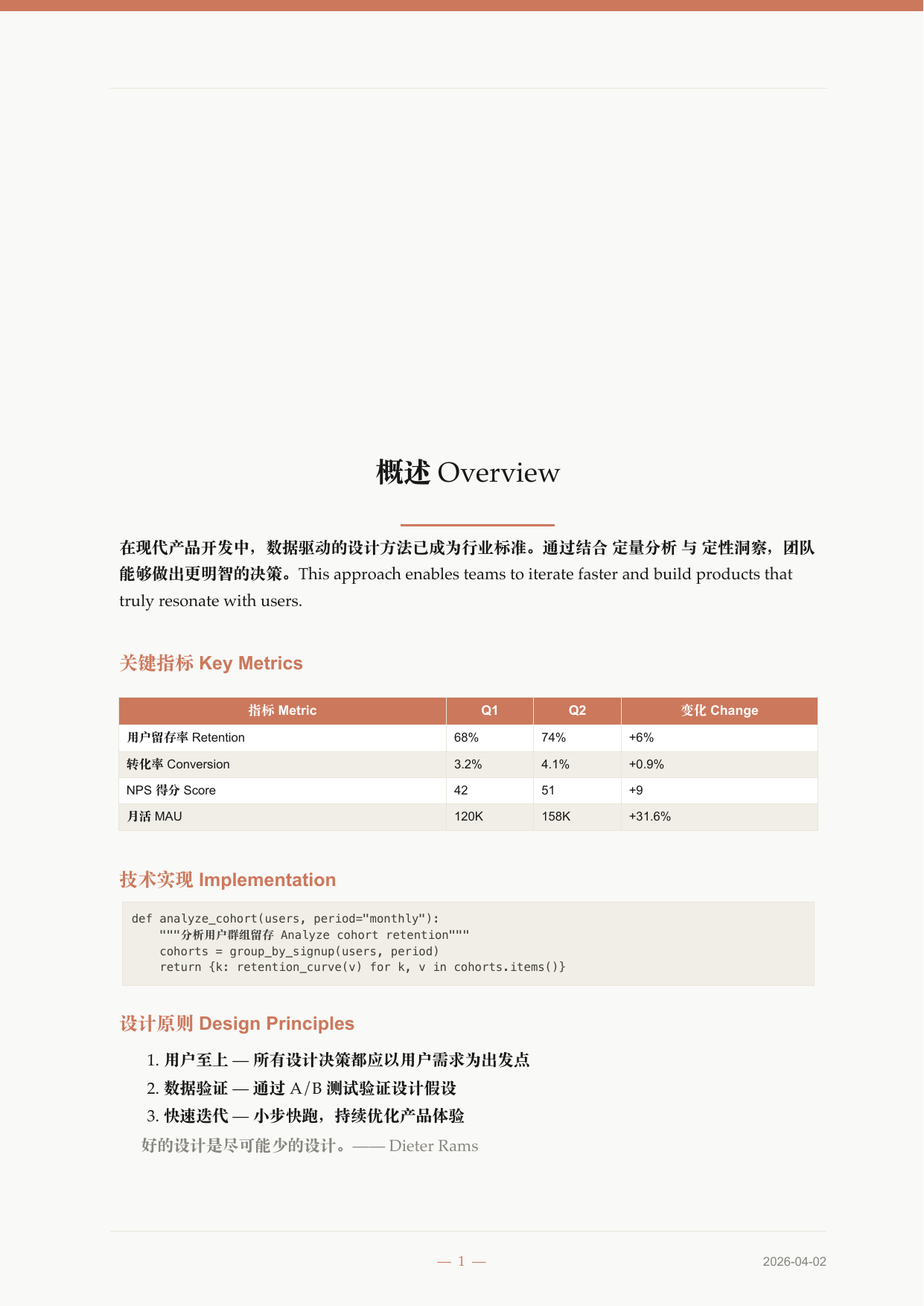 |
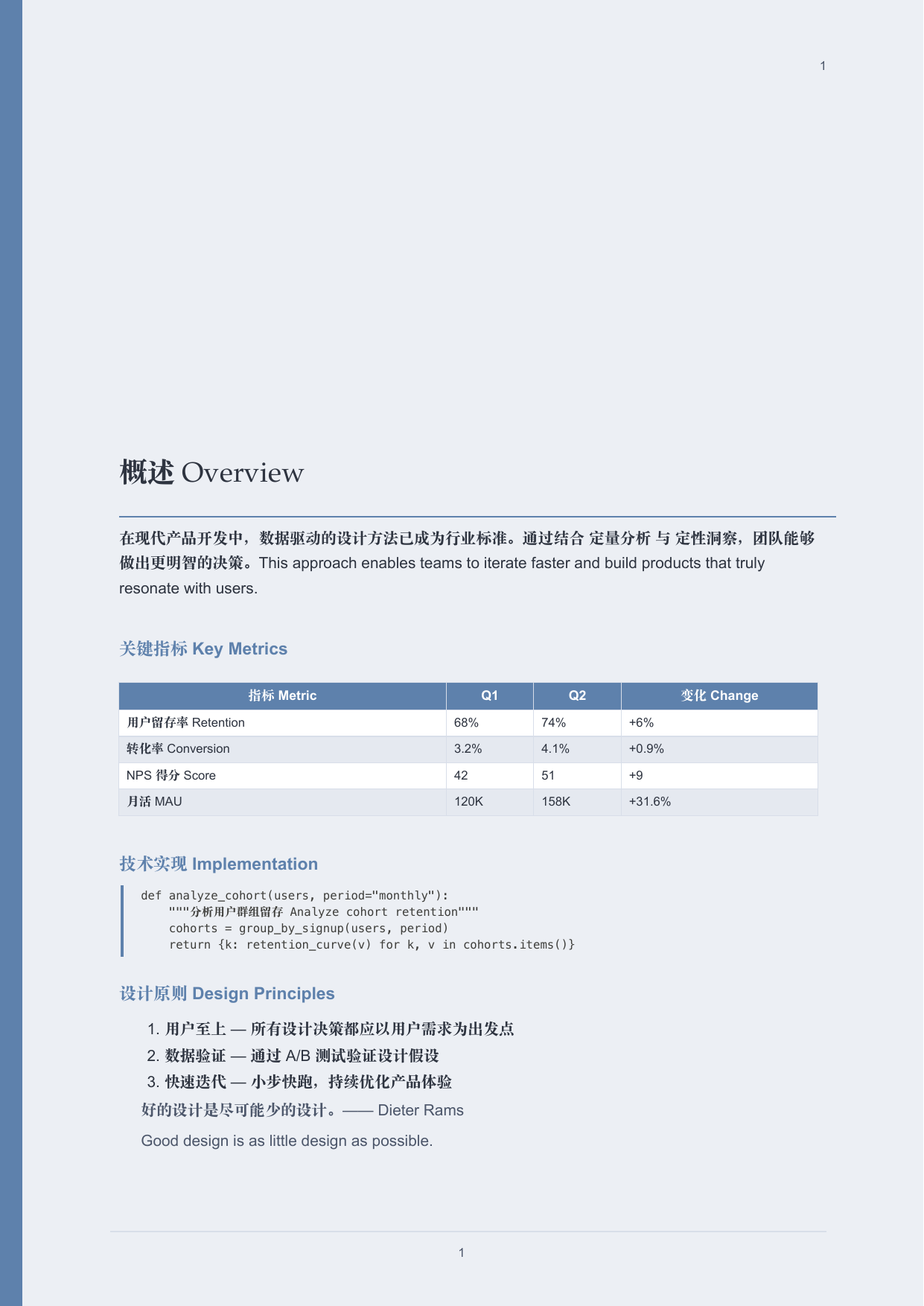 |
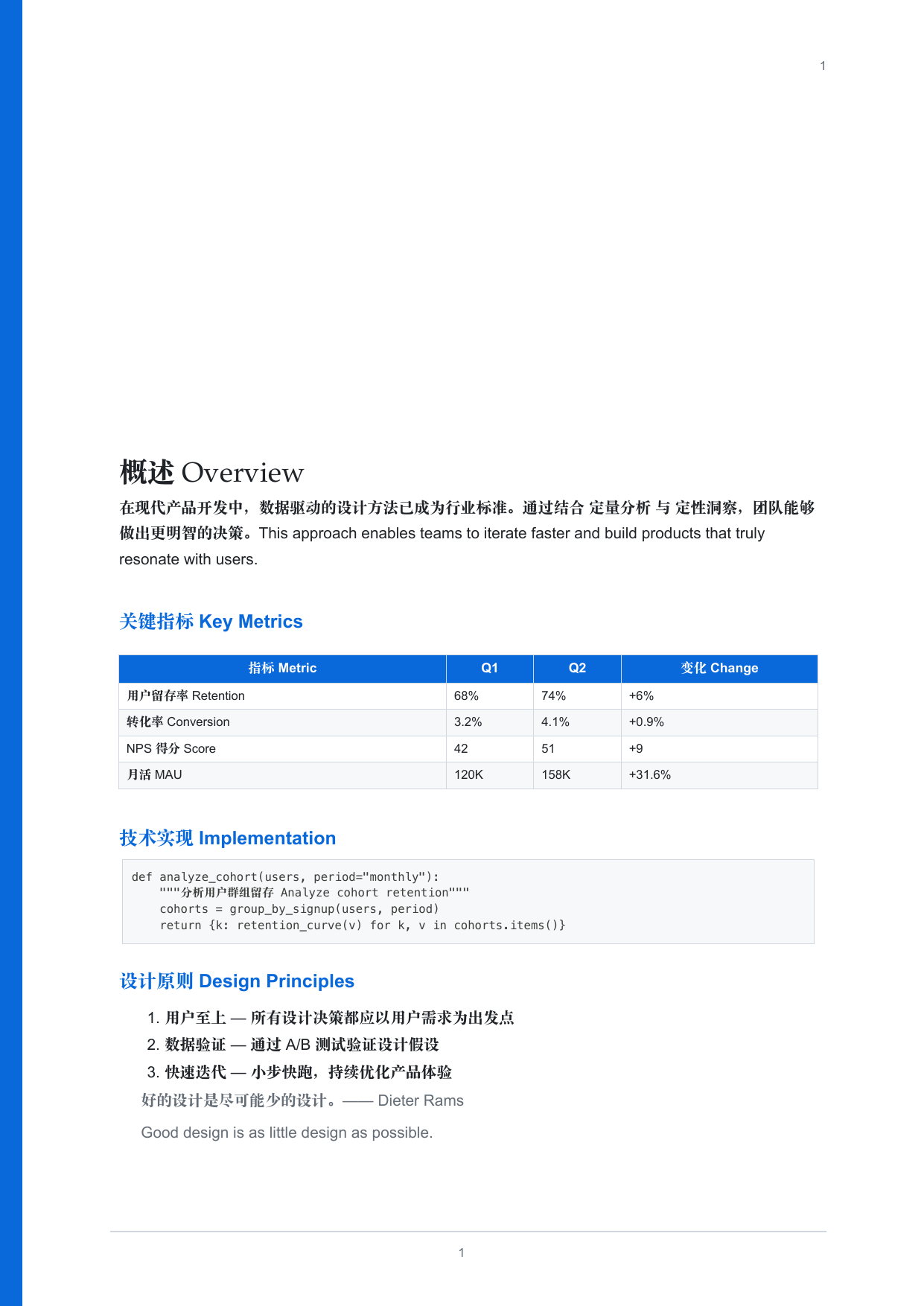 |
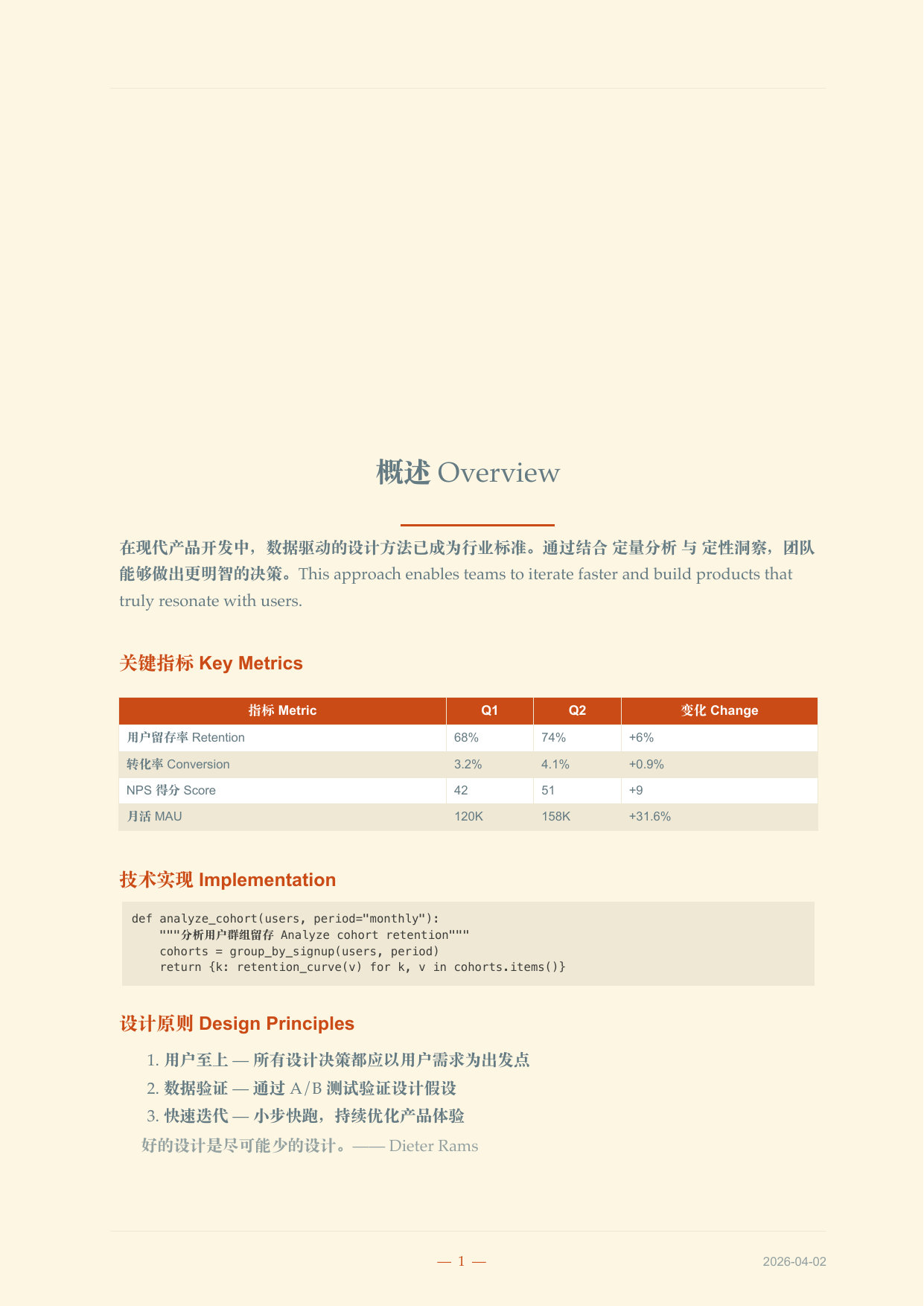 |
| paper-classic | ocean-breeze | tufte | classic-thesis |
|---|---|---|---|
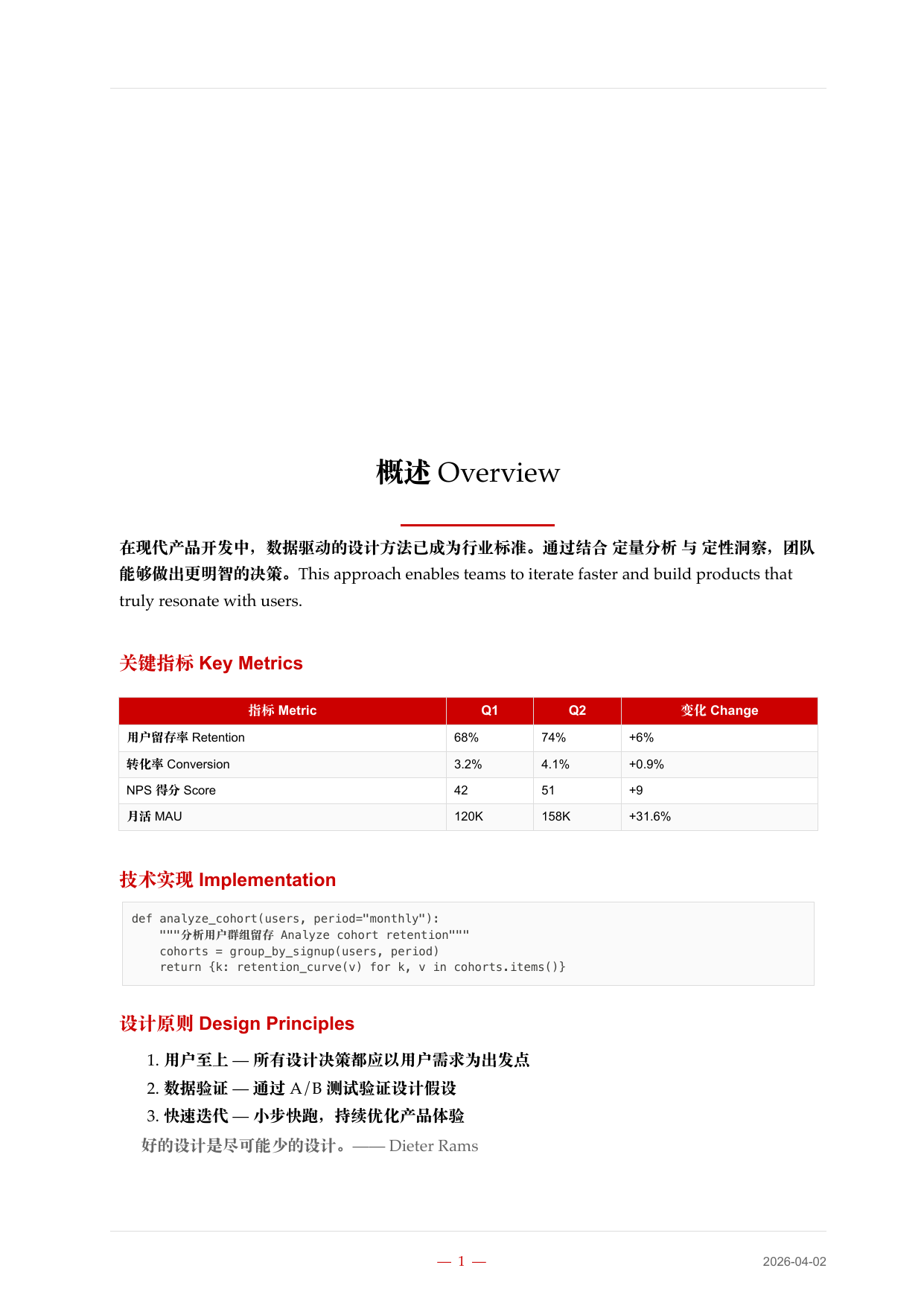 |
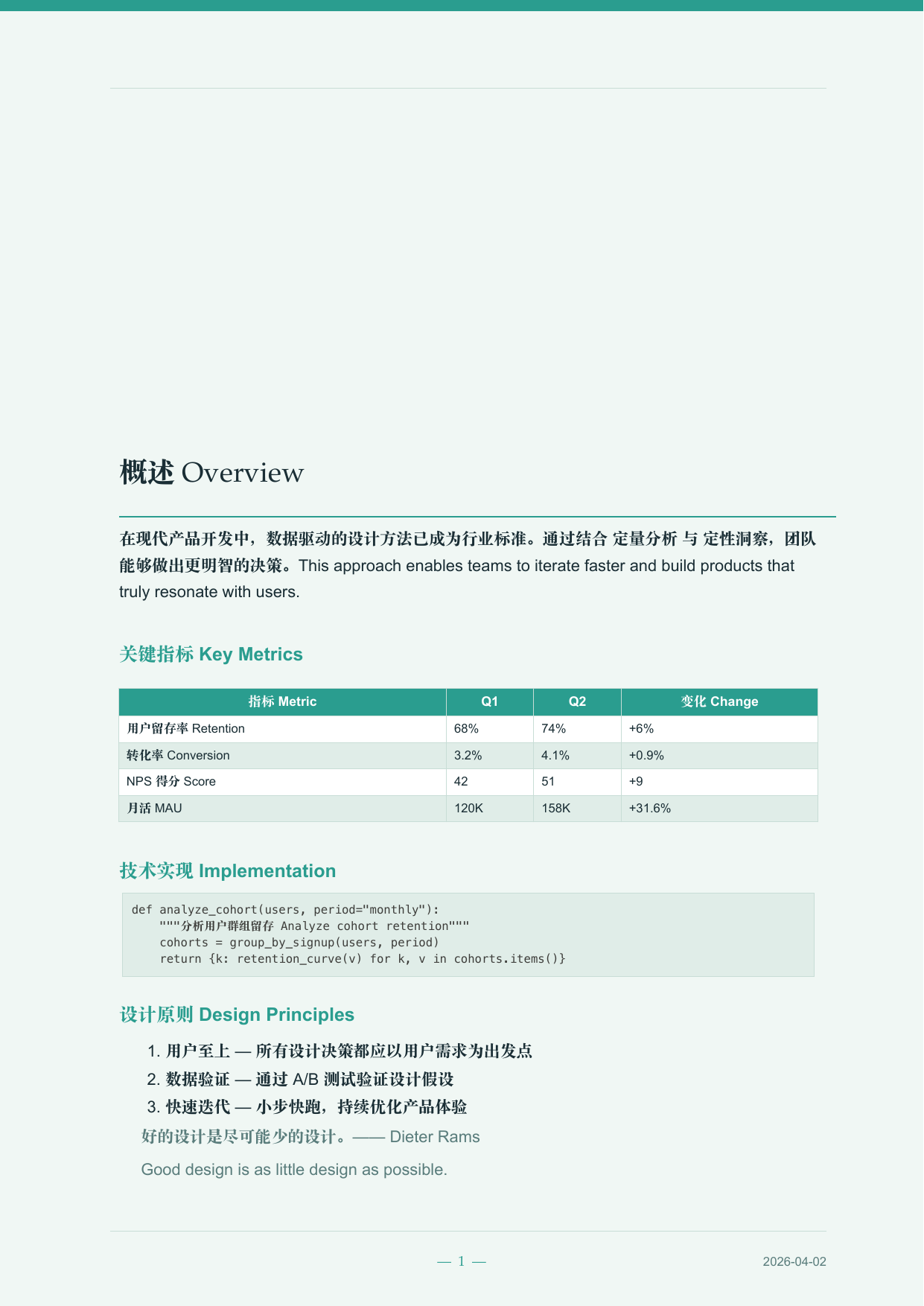 |
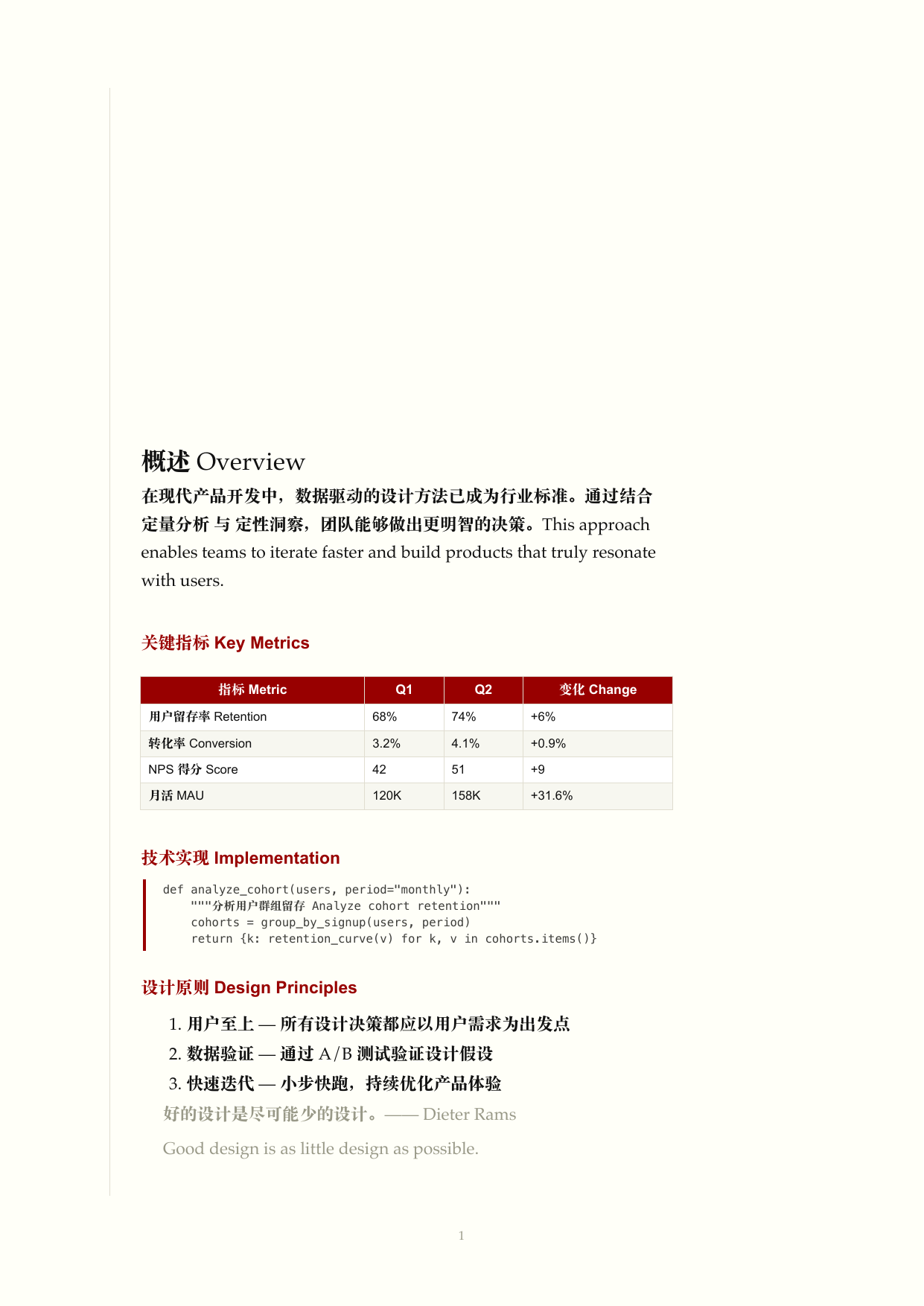 |
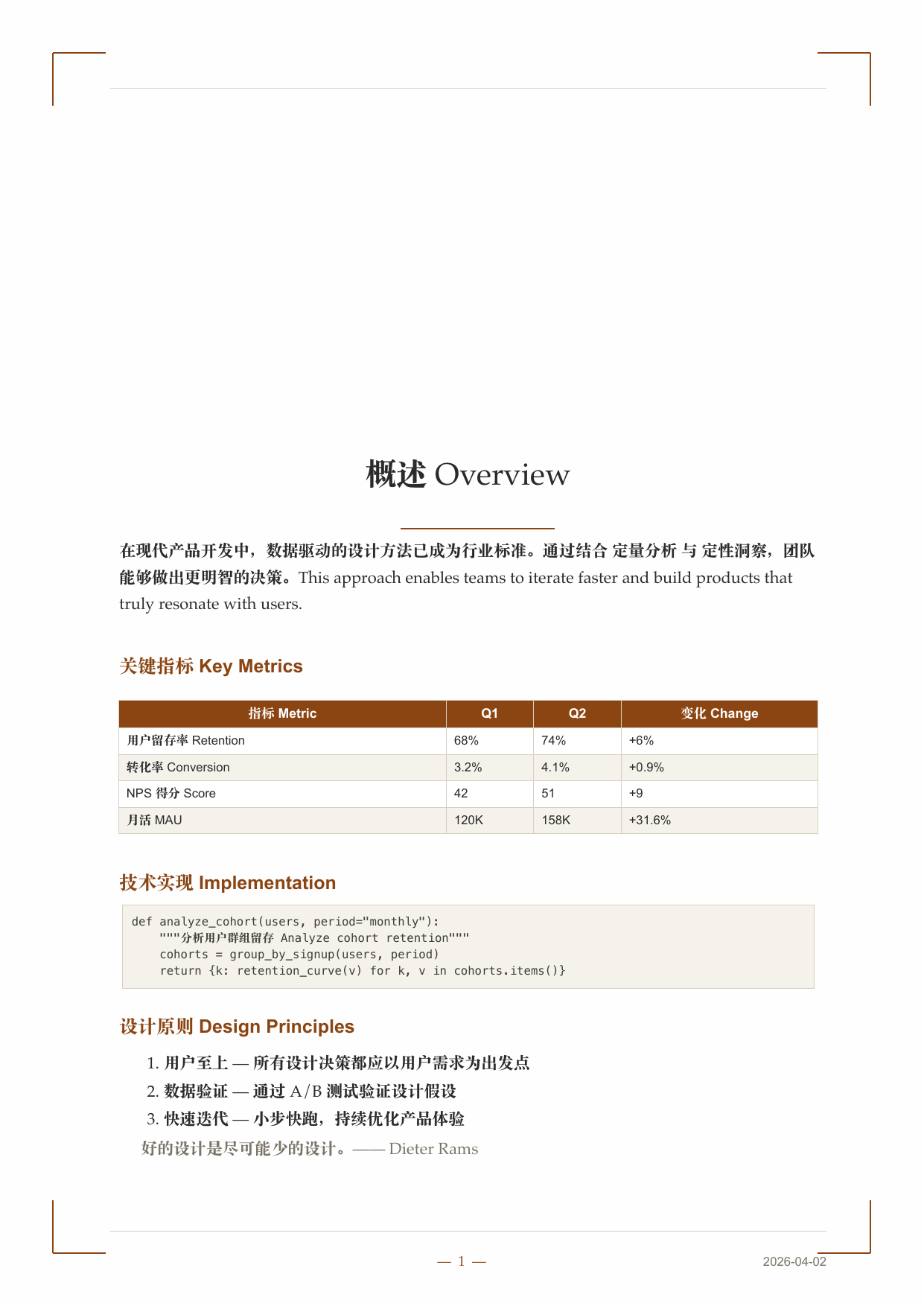 |
| ieee-journal | elegant-book | chinese-red | ink-wash |
|---|---|---|---|
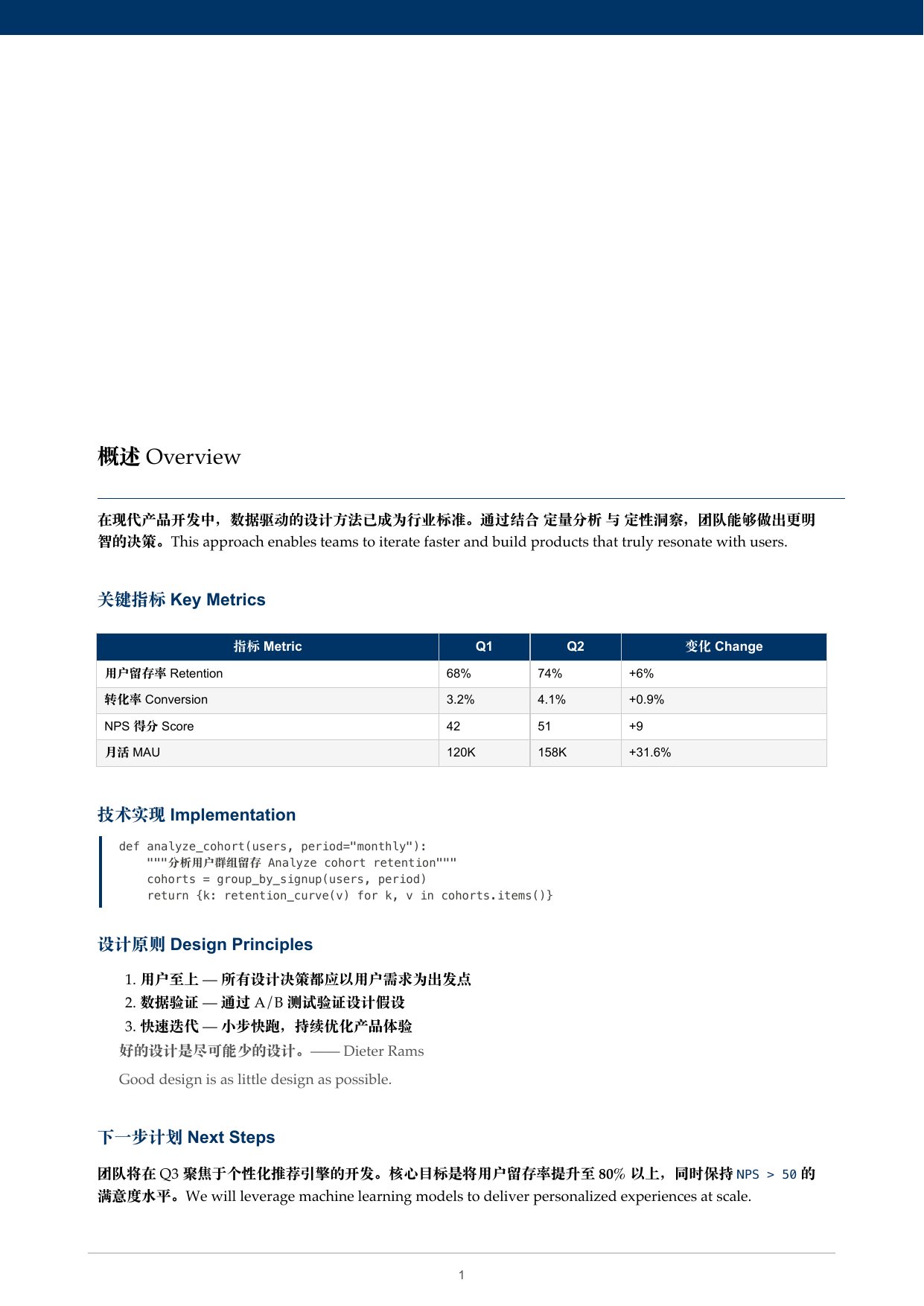 |
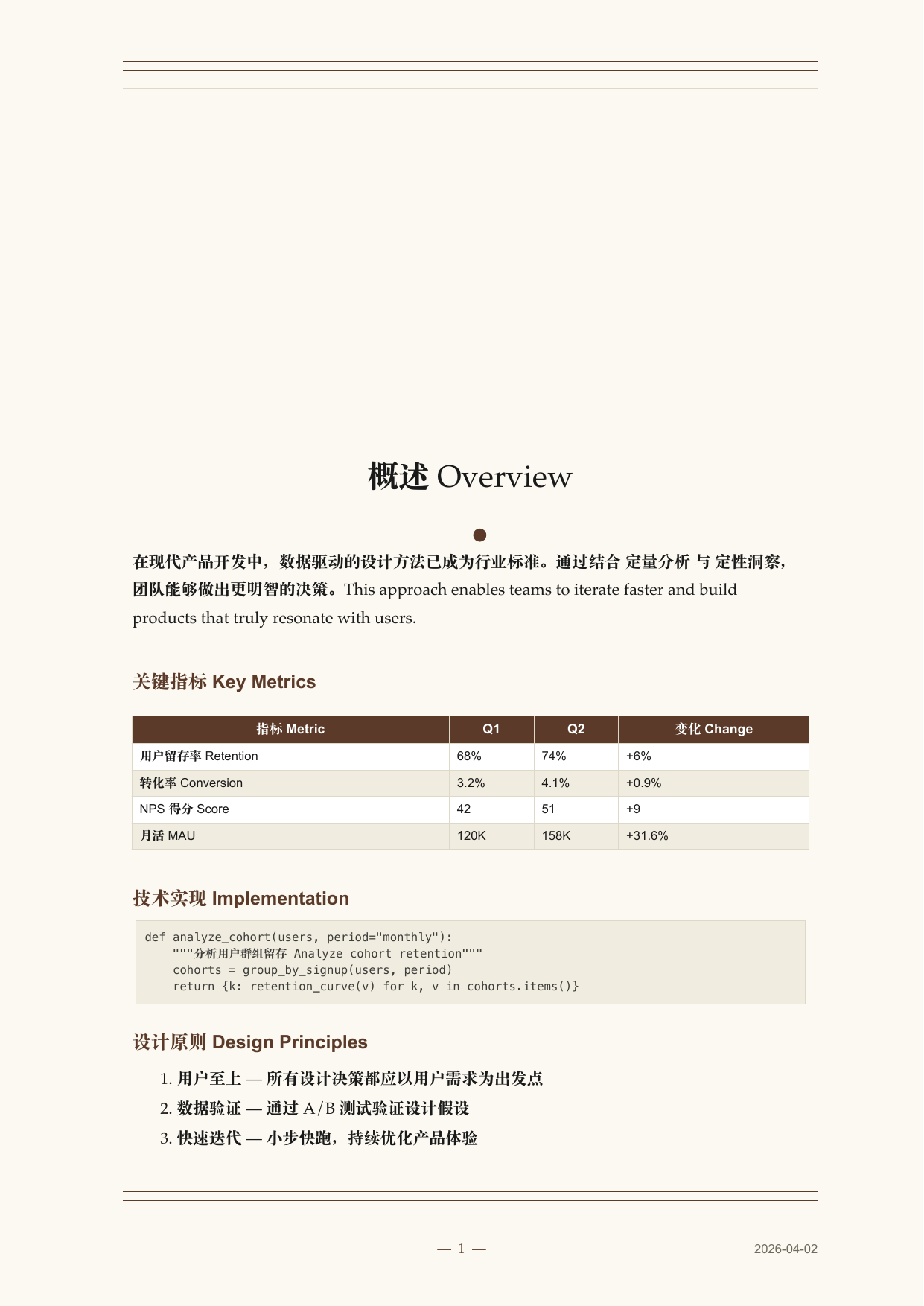 |
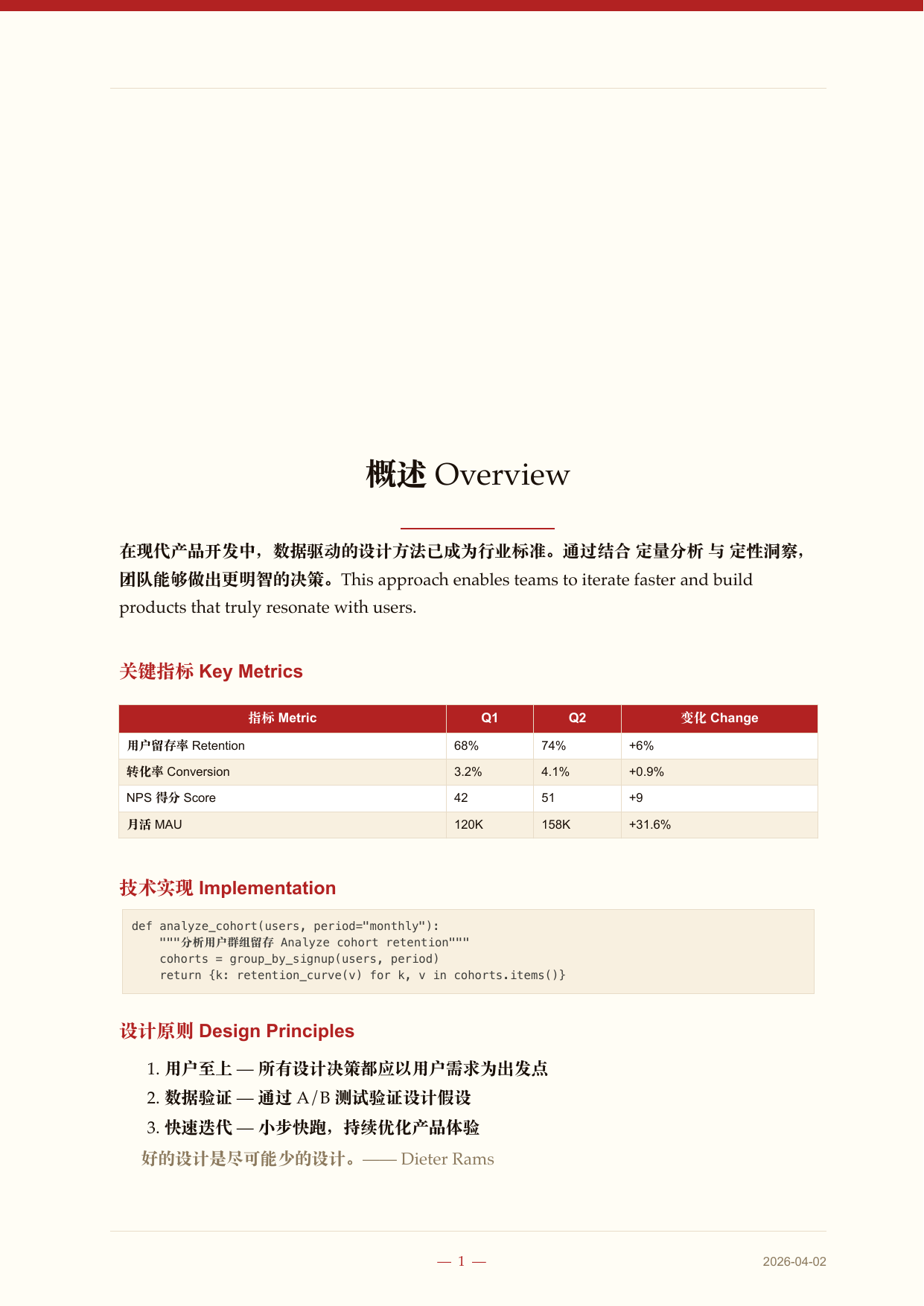 |
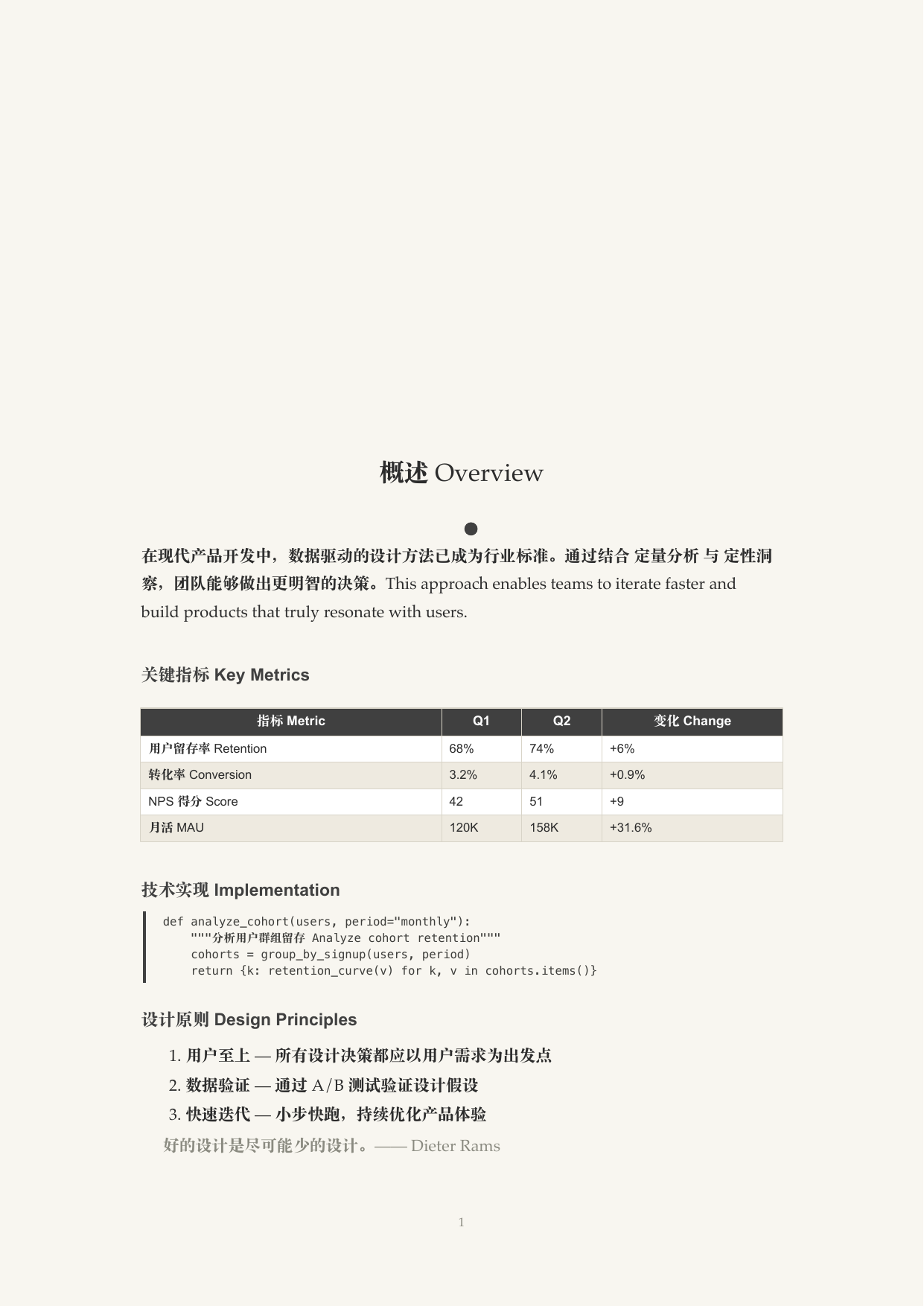 |
| monokai-warm | dracula-soft |
|---|---|
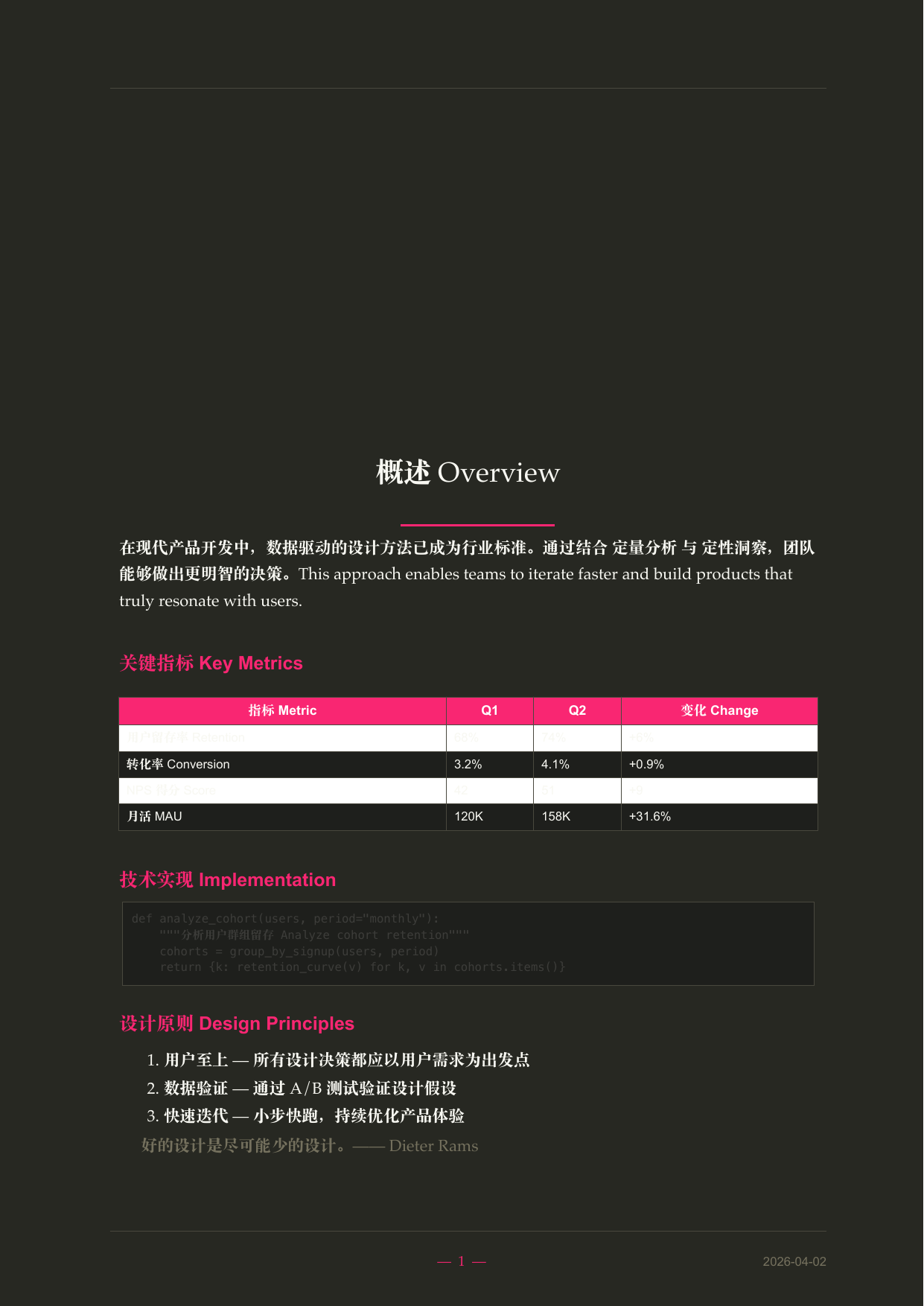 |
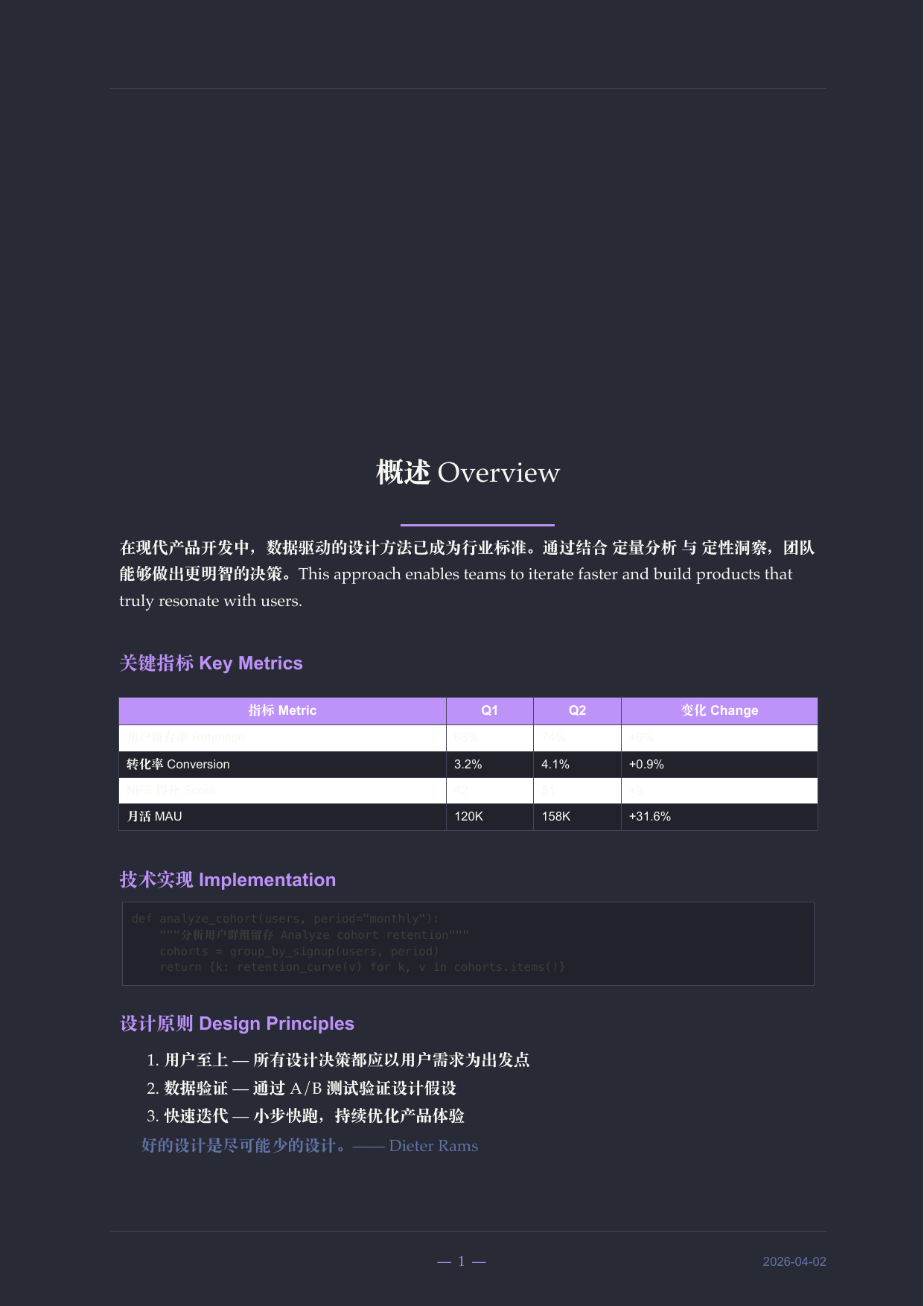 |
License
MIT
Skill manifest
Word 大师 · Word Master
This skill converts any Markdown file into a professionally styled Word document using Python's python-docx library. It shares the same theme palette as any2pdf and handles all CJK/Latin edge cases correctly.
When to Use
- User wants to convert
.md→.docx(Word) - User needs an editable document (not PDF)
- Document contains CJK characters mixed with Latin text
- Document has fenced code blocks, markdown tables, or lists
- User wants a cover page, table of contents, or watermark in their DOCX
Quick Start
python lov-any2docx/scripts/md2docx.py \
  --input report.md \
  --output report.docx \
  --title "My Report" \
  --author "Author Name" \
  --theme warm-academic
All parameters except --input are optional — sensible defaults are applied.
Pre-Conversion Options (MANDATORY)
IMPORTANT: You MUST use the AskUserQuestion tool to ask these questions BEFORE
running the conversion. Do NOT list options as plain text — use the tool so the user
gets a proper interactive prompt. Ask all options in a SINGLE AskUserQuestion call.
Use AskUserQuestion with the following template:
开始转 Word!先帮你确认几个选项 👇

━━━ 📐 设计风格 ━━━
 a) 暖学术    — 陶土色调,温润典雅,适合人文/社科报告
 b) 经典论文  — 棕色调,灵感源自 LaTeX classicthesis,适合学术论文
 c) Tufte     — 极简留白,深红点缀,适合数据叙事/技术写作
 d) 期刊蓝    — 藏蓝严谨,灵感源自 IEEE,适合正式发表风格
 e) 精装书    — 咖啡色调,书卷气,适合长篇专著/技术书
 f) 中国红    — 朱红配暖纸,适合中文正式报告/白皮书
 g) 水墨      — 纯灰黑,素雅克制,适合文学/设计类内容
 h) GitHub    — 蓝白极简,程序员熟悉的风格
 i) Nord 冰霜 — 蓝灰北欧风,清爽现代
 j) 海洋      — 青绿色调,清新自然
 k) 投资报告  — 楷体+深红,专业严谨,适合投资/尽调报告

━━━ 💧 水印 ━━━
 1) 不加
 2) 自定义文字(如 "DRAFT"、"内部资料")

示例回复:"a, 水印:仅供内部参考"
直接说人话就行,不用记编号 😄
Mapping User Choices to CLI Args
| Choice | CLI arg |
|---|---|
| Design style a-k | --theme with value from table below |
| Watermark text | --watermark "文字" |
Theme Name Mapping
| Choice | --theme value |
|---|---|
| a) 暖学术 | warm-academic |
| b) 经典论文 | classic-thesis |
| c) Tufte | tufte |
| d) 期刊蓝 | ieee-journal |
| e) 精装书 | elegant-book |
| f) 中国红 | chinese-red |
| g) 水墨 | ink-wash |
| h) GitHub | github-light |
| i) Nord | nord-frost |
| j) 海洋 | ocean-breeze |
| k) 投资报告 | invest-report |
Architecture
Markdown → Strip frontmatter → Preprocess (split merged headings) → Parse (code-fence-aware) → python-docx Document → .docx
Key components:
- CJK font switching:
_split_mixed()detects CJK runs and assigns Songti SC / SimSun / Noto CJK - Inline markdown:
_parse_inline()handles bold, italic,code, links - Images: Local paths (relative to .md) and remote URLs — auto-downloaded and embedded via
add_picture() - Code blocks: Shaded paragraph with monospace font and border
- Tables: Header row with accent background, alternating row shading
- Watermark: VML-based diagonal watermark in header (Word-native)
- TOC: Field code with static fallback entries;
updateFields=truetriggers auto-refresh on open - YAML frontmatter: Automatically stripped (won't leak
status: draftetc. into output) - Adaptive cover title: Font size scales down for long titles (36pt → 22pt)
Configuration Reference
| Argument | Default | Description |
|---|---|---|
--input |
(required) | Path to markdown file |
--output |
output.docx |
Output DOCX path |
--title |
From first H1 | Document title for cover page |
--subtitle |
"" |
Subtitle text |
--author |
"" |
Author name |
--date |
Today | Date string |
--version |
"" |
Version string for cover |
--watermark |
"" |
Watermark text (empty = none) |
--theme |
warm-academic |
Color theme name |
--cover |
true |
Generate cover page |
--toc |
true |
Generate table of contents |
--header-title |
"" |
Report title in page header |
--footer-left |
author | Brand/author in footer |
--stats-line |
"" |
Stats on cover |
--stats-line2 |
"" |
Second stats line |
--edition-line |
"" |
Edition line on cover |
--code-max-lines |
30 |
Max lines per code block |
Dependencies
pip install python-docx --break-system-packages
Runtime context (shared)
运行前读取本 Skill 包的 skill.yaml,由宿主提供 skill-runtime/v1 上下文。字段解析顺序为:当前请求、项目上下文、个人 Preferences、品牌 Profile、通用默认值。
- 只使用 Manifest 声明的字段;Profile 保存公开品牌事实,Preferences 保存个人工作偏好。
required: true字段缺失时,按 Manifest 的问题配置向用户提出一个聚焦问题;用户明确同意后再保存回答。- 报错提供可复制的
context_id、字段路径与来源,诊断内容避开秘密、完整私人路径和原始配置。
通用反馈闭环
用户在 Skill 驱动任务中提出修改意见时,继续当前产物前必须执行:
- 先判断意见是
task-specific(仅本次)还是reusable(可跨任务复用)。 task-specific只修改当前任务,不改 Skill。reusable先确定作用域:领域规则先更新对应 canonical Skill;适用于所有 Skill 的规则先更新共享规范。- 完成规则更新、版本、lint 与分发核验后,再把修改应用到当前任务。
reusable修改会使此前的“确认”“继续”“发吧”失效;完成当前产物修改和回读后必须停下,等待用户下一步指示,不自动进入发布、提交或其他外部写入。
Files (skills)
-
examples
-
投资报告
-
投资报告模板v3-20210822.docx 32.5 KB · in bundle
-
-
-
scripts
-
md2docx.py 35.6 KB
Loading…
-
-
CHANGELOG.md 813 B
Loading… -
README.md 2.2 KB
# Word 大师 · Word Master  Markdown to professionally styled DOCX (Word) with [python-docx](https://python-docx.readthedocs.io/). CJK/Latin mixed text, code blocks, tables, **images** (local + remote), cover pages, auto-refresh TOC, watermarks, and 11 color themes. Same theme palette as any2pdf, editable output. Part of [skill-publisher/skills](https://example.com/skills/skills) — by [example.com](https://example.com) ## Install ```bash npx skills add any2docx -g -y ``` Requires: Python 3.8+ and `pip install python-docx` ## Usage ```bash python md2docx.py --input report.md --output report.docx --theme warm-academic ``` | Option | Default | Description | |--------|---------|-------------| | `--input` | (required) | Markdown file path | | `--output` | `output.docx` | Output DOCX path | | `--title` | From H1 | Cover page title | | `--subtitle` | | Subtitle | | `--author` | | Author name | | `--theme` | `warm-academic` | Color theme | | `--watermark` | | Watermark text | | `--cover` | `true` | Generate cover page | | `--toc` | `true` | Generate table of contents | ## Themes | warm-academic | nord-frost | github-light | solarized-light | |:---:|:---:|:---:|:---:| |  |  |  |  | | paper-classic | ocean-breeze | tufte | classic-thesis | |:---:|:---:|:---:|:---:| |  |  |  |  | | ieee-journal | elegant-book | chinese-red | ink-wash | |:---:|:---:|:---:|:---:| |  |  |  |  | | monokai-warm | dracula-soft | |:---:|:---:| |  |  | ## License MIT -
SKILL.md 7.2 KB
--- name: lov-any2docx description: > Convert Markdown documents to professionally styled DOCX (Word) files with python-docx. Handles CJK/Latin mixed text, fenced code blocks, tables, blockquotes, cover pages, TOC field, watermarks, and page numbers. Supports multiple color themes matching any2pdf (Configurable Academic, Nord, GitHub Light, etc.) and is battle-tested for Chinese technical reports. Use this skill whenever the user wants to turn a .md file into a styled Word document, generate an editable report from markdown, or create a DOCX from markdown content — especially if CJK characters, code blocks, or tables are involved. Also trigger when the user mentions "markdown to docx", "md2docx", "any2docx", "md转word", "md转docx", "生成word", or asks for an "editable document" from markdown source. license: MIT compatibility: > Requires Python 3.8+ and python-docx (`pip install python-docx`). Cross-platform: macOS, Windows, Linux. CJK fonts: macOS uses Songti SC, Windows uses SimSun, Linux uses Noto Serif CJK SC. metadata: author: contributors version: "0.4.0" tags: markdown docx word cjk python-docx typesetting --- # Word 大师 · Word Master This skill converts any Markdown file into a professionally styled Word document using Python's python-docx library. It shares the same theme palette as any2pdf and handles all CJK/Latin edge cases correctly. ## When to Use - User wants to convert `.md` → `.docx` (Word) - User needs an **editable** document (not PDF) - Document contains CJK characters mixed with Latin text - Document has fenced code blocks, markdown tables, or lists - User wants a cover page, table of contents, or watermark in their DOCX ## Quick Start ```bash python lov-any2docx/scripts/md2docx.py \ --input report.md \ --output report.docx \ --title "My Report" \ --author "Author Name" \ --theme warm-academic ``` All parameters except `--input` are optional — sensible defaults are applied. ## Pre-Conversion Options (MANDATORY) **IMPORTANT: You MUST use the `AskUserQuestion` tool to ask these questions BEFORE running the conversion. Do NOT list options as plain text — use the tool so the user gets a proper interactive prompt. Ask all options in a SINGLE `AskUserQuestion` call.** Use `AskUserQuestion` with the following template: ``` 开始转 Word!先帮你确认几个选项 👇 ━━━ 📐 设计风格 ━━━ a) 暖学术 — 陶土色调,温润典雅,适合人文/社科报告 b) 经典论文 — 棕色调,灵感源自 LaTeX classicthesis,适合学术论文 c) Tufte — 极简留白,深红点缀,适合数据叙事/技术写作 d) 期刊蓝 — 藏蓝严谨,灵感源自 IEEE,适合正式发表风格 e) 精装书 — 咖啡色调,书卷气,适合长篇专著/技术书 f) 中国红 — 朱红配暖纸,适合中文正式报告/白皮书 g) 水墨 — 纯灰黑,素雅克制,适合文学/设计类内容 h) GitHub — 蓝白极简,程序员熟悉的风格 i) Nord 冰霜 — 蓝灰北欧风,清爽现代 j) 海洋 — 青绿色调,清新自然 k) 投资报告 — 楷体+深红,专业严谨,适合投资/尽调报告 ━━━ 💧 水印 ━━━ 1) 不加 2) 自定义文字(如 "DRAFT"、"内部资料") 示例回复:"a, 水印:仅供内部参考" 直接说人话就行,不用记编号 😄 ``` ### Mapping User Choices to CLI Args | Choice | CLI arg | |--------|---------| | Design style a-k | `--theme` with value from table below | | Watermark text | `--watermark "文字"` | ### Theme Name Mapping | Choice | `--theme` value | |--------|----------------| | a) 暖学术 | `warm-academic` | | b) 经典论文 | `classic-thesis` | | c) Tufte | `tufte` | | d) 期刊蓝 | `ieee-journal` | | e) 精装书 | `elegant-book` | | f) 中国红 | `chinese-red` | | g) 水墨 | `ink-wash` | | h) GitHub | `github-light` | | i) Nord | `nord-frost` | | j) 海洋 | `ocean-breeze` | | k) 投资报告 | `invest-report` | ## Architecture ``` Markdown → Strip frontmatter → Preprocess (split merged headings) → Parse (code-fence-aware) → python-docx Document → .docx ``` Key components: 1. **CJK font switching**: `_split_mixed()` detects CJK runs and assigns Songti SC / SimSun / Noto CJK 2. **Inline markdown**: `_parse_inline()` handles **bold**, *italic*, `code`, [links](url) 3. **Images**: Local paths (relative to .md) and remote URLs — auto-downloaded and embedded via `add_picture()` 4. **Code blocks**: Shaded paragraph with monospace font and border 5. **Tables**: Header row with accent background, alternating row shading 6. **Watermark**: VML-based diagonal watermark in header (Word-native) 7. **TOC**: Field code with static fallback entries; `updateFields=true` triggers auto-refresh on open 8. **YAML frontmatter**: Automatically stripped (won't leak `status: draft` etc. into output) 9. **Adaptive cover title**: Font size scales down for long titles (36pt → 22pt) ## Configuration Reference | Argument | Default | Description | |----------|---------|-------------| | `--input` | (required) | Path to markdown file | | `--output` | `output.docx` | Output DOCX path | | `--title` | From first H1 | Document title for cover page | | `--subtitle` | `""` | Subtitle text | | `--author` | `""` | Author name | | `--date` | Today | Date string | | `--version` | `""` | Version string for cover | | `--watermark` | `""` | Watermark text (empty = none) | | `--theme` | `warm-academic` | Color theme name | | `--cover` | `true` | Generate cover page | | `--toc` | `true` | Generate table of contents | | `--header-title` | `""` | Report title in page header | | `--footer-left` | author | Brand/author in footer | | `--stats-line` | `""` | Stats on cover | | `--stats-line2` | `""` | Second stats line | | `--edition-line` | `""` | Edition line on cover | | `--code-max-lines` | `30` | Max lines per code block | ## Dependencies ```bash pip install python-docx --break-system-packages ``` ## Runtime context (shared) 运行前读取本 Skill 包的 `skill.yaml`,由宿主提供 `skill-runtime/v1` 上下文。字段解析顺序为:当前请求、项目上下文、个人 Preferences、品牌 Profile、通用默认值。 - 只使用 Manifest 声明的字段;Profile 保存公开品牌事实,Preferences 保存个人工作偏好。 - `required: true` 字段缺失时,按 Manifest 的问题配置向用户提出一个聚焦问题;用户明确同意后再保存回答。 - 报错提供可复制的 `context_id`、字段路径与来源,诊断内容避开秘密、完整私人路径和原始配置。 ## 通用反馈闭环 用户在 Skill 驱动任务中提出修改意见时,继续当前产物前必须执行: 1. 先判断意见是 `task-specific`(仅本次)还是 `reusable`(可跨任务复用)。 2. `task-specific` 只修改当前任务,不改 Skill。 3. `reusable` 先确定作用域:领域规则先更新对应 canonical Skill;适用于所有 Skill 的规则先更新共享规范。 4. 完成规则更新、版本、lint 与分发核验后,再把修改应用到当前任务。 5. `reusable` 修改会使此前的“确认”“继续”“发吧”失效;完成当前产物修改和回读后必须停下,等待用户下一步指示,不自动进入发布、提交或其他外部写入。 -
skill.yaml 830 B
Loading…
Comments (0)
Sign in to join the conversation.
Reviews (0)
No reviews yet.
No comments yet.