andy-liquid
Three.js liquid metal / bloom 3D animation video renderer using React + Three.js
Install
npx skills add https://github.com/AIPMAndy/Andy-Video-Skill/tree/main/01-programmatic-animation/andy-liquid
claude plugin marketplace add https://llmmart.ai/marketplace.json && claude plugin install aipmandy-andy-video-skill@llmmart
git clone https://github.com/AIPMAndy/Andy-Video-Skill.git
The skills CLI installs just this skill, for any of its supported agents. Claude Code installs the whole aipmandy/andy-video-skill collection as a plugin from our marketplace. Git is the plain clone.
README
Andy Liquid




✨ 核心特性
🌊 液态画布 - 基于 Three.js 的 3D 液态扭曲效果,带来流动的视觉冲击
🪟 玻璃面板 - 完美还原 Apple 风格的玻璃态效果,支持无障碍访问
🎯 流体按钮 - 磁吸式悬停效果,物理级弹簧动画
🔄 形态过渡 - 丝滑的形状变换动画
🧭 液态导航 - 浮岛和 Dock 风格导航栏
🚀 快速开始
安装
# npm
npm install @andy-liquid/react

# pnpm
pnpm add @andy-liquid/react

# bun
bun add @andy-liquid/react
基础使用
import { LiquidCanvas, GlassPanel, FluidButton } from '@andy-liquid/react'

export default function App() {
  return (
    <div className="relative min-h-screen">
      {/* 液态背景 */}
      <LiquidCanvas
        text={["Hello", "World"]}
        intensity={7}
        metalness={0.35}
        roughness={0.45}
        enableRain={true}
      />

      {/* 玻璃面板 */}
      <GlassPanel
        variant="medium"
        className="max-w-2xl mx-auto mt-20 p-8"
      >
        <h1 className="text-4xl font-bold mb-4">
          欢迎来到液态世界
        </h1>
        <p className="text-gray-600">
          体验顶级视觉效果带来的极致交互
        </p>

        {/* 流体按钮 */}
        <FluidButton
          variant="primary"
          magnetic={true}
          onClick={() => console.log('Clicked!')}
        >
          开始探索
        </FluidButton>
      </GlassPanel>
    </div>
  )
}
📦 包结构
| 包名 | 描述 | 状态 |
|---|---|---|
@andy-liquid/core |
核心效果引擎 | ✅ 可用 |
@andy-liquid/react |
React 组件封装 | ✅ 可用 |
@andy-liquid/vue |
Vue 组件 | 🚧 开发中 |
@andy-liquid/svelte |
Svelte 组件 | 📋 计划中 |
🎨 组件
LiquidCanvas - 液态画布
3D 液态扭曲背景效果,基于 Three.js 实现。
<LiquidCanvas
  text={["你的", "文字"]}
  intensity={7}           // 扭曲强度 1-10
  metalness={0.35}        // 金属度 0-1
  roughness={0.45}        // 粗糙度 0-1
  displacementScale={2}   // 位移缩放
  enableRain={true}       // 雨滴效果
  className="custom-class"
/>
特点:
- 🎭 动态文字纹理生成
- 🌈 可自定义材质属性
- ⚡ 高性能 WebGL 渲染
- 📱 响应式适配
- 🎨 支持自定义样式
GlassPanel - 玻璃面板
Apple 风格的玻璃态效果,带模糊背景和半透明。
<GlassPanel
  variant="light"      // light | medium | dark
  blur="default"       // subtle | default | strong
  className="p-6"
>
  你的内容
</GlassPanel>
变体:
light- 轻度模糊,高透明度medium- 中度模糊,适中透明度dark- 深度模糊,低透明度
FluidButton - 流体按钮
带磁吸和弹簧动画的交互式按钮。
<FluidButton
  variant="primary"    // primary | secondary | ghost
  magnetic={true}      // 磁吸效果
  springConfig={{      // 弹簧配置
    tension: 300,
    friction: 20
  }}
  onClick={handleClick}
>
  点击我
</FluidButton>
特性:
- 🧲 磁吸式鼠标跟随
- 🌊 流体动画过渡
- ⚙️ 可配置弹簧物理
- 🎯 完整的键盘支持
🎯 设计理念
Andy Liquid 融合了顶级设计实践:
- 🍎 Apple 液态玻璃 - 借鉴 iOS/macOS 的玻璃态设计语言
- 🎬 高端视觉 - 对标国际一线代理商的视觉标准
- ⚡ 性能优先 - 60fps 流畅动画,优化的资源加载
- ♿ 无障碍访问 - 符合 WCAG 标准,完整的键盘和屏幕阅读器支持
- 🎨 高度可定制 - 灵活的配置选项,适应各种设计需求
🛠️ 技术栈
- TypeScript - 类型安全的开发体验
- React 19 - 最新的 React 特性
- Three.js - 强大的 3D 图形库
- Framer Motion - 流畅的动画库
- Tailwind CSS - 实用优先的样式方案
- Turbo - 高性能 Monorepo 构建
🎪 在线演示
查看完整的交互式示例:
- 🌐 Live Demo
- 📚 Storybook
- 🎮 CodeSandbox
📖 完整文档
访问 andy-liquid.dev 获取:
- 📘 完整 API 文档
- 🎓 使用教程
- 🎨 设计指南
- 💡 最佳实践
- 🔧 迁移指南
🤝 贡献
欢迎贡献代码、报告问题或提出建议!
- Fork 本仓库
- 创建你的特性分支 (
git checkout -b feature/AmazingFeature) - 提交你的改动 (
git commit -m 'Add some AmazingFeature') - 推送到分支 (
git push origin feature/AmazingFeature) - 开启 Pull Request
查看 CONTRIBUTING.md 了解详细指南。
📄 开源协议
MIT © Andy - 自由使用,保留署名
🙏 致谢
本项目基于以下优秀的开源项目:
- threejs-components by Kevin Levron - Three.js 组件库
- liquid-effect-animation by StarKnightt - 液态效果灵感
- taste-skill by Leonxlnx - 设计参考
🌟 Star History
如果这个项目对你有帮助,请给个 Star ⭐
English
Premium liquid and glass effects library for modern web applications
✨ Features
🌊 Liquid Canvas - Three.js powered 3D liquid distortion effects
🪟 Glass Panels - Apple-style glassmorphism with accessibility
🎯 Fluid Buttons - Magnetic hover with spring physics
🔄 Morph Transitions - Smooth shape-shifting animations
🧭 Liquid Navigation - Floating island and dock-style navigation
🚀 Quick Start
Installation
npm install @andy-liquid/react
Basic Usage
import { LiquidCanvas, GlassPanel } from '@andy-liquid/react'

export default function App() {
  return (
    <div>
      <LiquidCanvas
        text={["Hello", "World"]}
        intensity={7}
      />
      <GlassPanel variant="medium">
        <h1>Beautiful Glass Effect</h1>
      </GlassPanel>
    </div>
  )
}
📦 Packages
@andy-liquid/core- Core effects engine@andy-liquid/react- React components@andy-liquid/vue- Vue components (coming soon)@andy-liquid/svelte- Svelte components (planned)
🎨 Design Philosophy
Andy Liquid integrates best practices from:
- 🍎 Apple's Liquid Glass design language
- 🎬 High-end agency visual standards
- ⚡ Performance-first fluid animations
- ♿ WCAG accessibility compliance
📖 Documentation
Visit andy-liquid.dev for complete documentation.
🤝 Contributing
Contributions are welcome! See CONTRIBUTING.md for guidelines.
📄 License
MIT © Andy
🙏 Credits
Built upon:
- threejs-components by Kevin Levron
- liquid-effect-animation by StarKnightt
- taste-skill by Leonxlnx
Skill manifest
Andy Liquid
Three.js-based 3D liquid metal animation renderer. Produces professional-grade visual effects for video: bloom post-processing, particle systems, dynamic camera movements.
Quick Start
cd andy-liquid
pnpm install
pnpm build
Use Cases
- Brand launch videos
- Cinematic intros
- Generative art backgrounds
See README.md for full documentation.
Files (andy-video-skill)
-
.agents
-
skills
-
andy-liquid
-
SKILL.md 7.3 KB
Loading…
-
-
-
-
.github
-
workflows
-
ci.yml 492 B
Loading…
-
-
CI-TEST.md 14 B
Loading…
-
-
apps
-
example
-
app
-
test
-
page.tsx 495 B · in bundle
-
-
favicon.ico 25.3 KB · in bundle
-
globals.css 488 B · in bundle
-
layout.tsx 1.1 KB · in bundle
-
page.tsx 2.9 KB · in bundle
-
-
public
-
file.svg 391 B · in bundle
-
globe.svg 1 KB · in bundle
-
next.svg 1.3 KB · in bundle
-
vercel.svg 128 B · in bundle
-
window.svg 385 B · in bundle
-
-
.gitignore 480 B · in bundle
-
AGENTS.md 327 B
Loading… -
CLAUDE.md 11 B
Loading… -
eslint.config.mjs 465 B · in bundle
-
next.config.ts 133 B
Loading… -
package.json 642 B
Loading… -
pnpm-workspace.yaml 54 B
Loading… -
postcss.config.mjs 94 B · in bundle
-
README.md 1.4 KB
Loading… -
tsconfig.json 666 B
Loading…
-
-
-
design
-
principles.md 4.8 KB
Loading…
-
-
examples
-
README.md 3.5 KB
Loading…
-
-
packages
-
core
-
src
-
components
-
LiquidCanvas
-
engine.ts 5.4 KB
Loading… -
index.ts 146 B
Loading… -
types.ts 704 B
Loading…
-
-
-
effects
-
magnetic.ts 2.6 KB
Loading… -
ripple.ts 2.7 KB
Loading…
-
-
styles
-
glass.css 3.4 KB · in bundle
-
liquid.css 2.6 KB · in bundle
-
-
utils
-
physics.ts 2.2 KB
Loading… -
webgl-helper.ts 2.3 KB
Loading…
-
-
index.ts 506 B
Loading…
-
-
eslint.config.mjs 234 B · in bundle
-
package.json 892 B
Loading… -
tsconfig.json 630 B
Loading… -
tsup.config.ts 206 B
Loading…
-
-
react
-
src
-
components
-
FluidButton.tsx 2.8 KB · in bundle
-
GlassPanel.tsx 1.1 KB · in bundle
-
LiquidCanvas.tsx 2.2 KB · in bundle
-
-
hooks
-
useMagneticHover.ts 569 B
Loading… -
useRipple.ts 544 B
Loading…
-
-
index.ts 642 B
Loading…
-
-
eslint.config.mjs 719 B · in bundle
-
package.json 1.1 KB
Loading… -
tsconfig.json 654 B
Loading… -
tsup.config.ts 226 B
Loading…
-
-
-
.gitignore 81 B · in bundle
-
.prettierrc 127 B · in bundle
-
CONTRIBUTING.md 2.5 KB
Loading… -
LICENSE 1.4 KB · in bundle
-
package.json 938 B
Loading… -
pnpm-lock.yaml 179.2 KB
Loading… -
pnpm-workspace.yaml 40 B
Loading… -
PROJECT_SUMMARY.md 5.3 KB
Loading… -
README.md 7.7 KB
# Andy Liquid <div align="center">     **为现代 Web 应用打造的顶级液态与玻璃效果库** [English](#english) | [示例](#-快速开始) | [文档](#-组件) | [贡献](#-贡献) </div> --- ## ✨ 核心特性 🌊 **液态画布** - 基于 Three.js 的 3D 液态扭曲效果,带来流动的视觉冲击 🪟 **玻璃面板** - 完美还原 Apple 风格的玻璃态效果,支持无障碍访问 🎯 **流体按钮** - 磁吸式悬停效果,物理级弹簧动画 🔄 **形态过渡** - 丝滑的形状变换动画 🧭 **液态导航** - 浮岛和 Dock 风格导航栏 ## 🚀 快速开始 ### 安装 ```bash # npm npm install @andy-liquid/react # pnpm pnpm add @andy-liquid/react # bun bun add @andy-liquid/react ``` ### 基础使用 ```tsx import { LiquidCanvas, GlassPanel, FluidButton } from '@andy-liquid/react' export default function App() { return ( <div className="relative min-h-screen"> {/* 液态背景 */} <LiquidCanvas text={["Hello", "World"]} intensity={7} metalness={0.35} roughness={0.45} enableRain={true} /> {/* 玻璃面板 */} <GlassPanel variant="medium" className="max-w-2xl mx-auto mt-20 p-8" > <h1 className="text-4xl font-bold mb-4"> 欢迎来到液态世界 </h1> <p className="text-gray-600"> 体验顶级视觉效果带来的极致交互 </p> {/* 流体按钮 */} <FluidButton variant="primary" magnetic={true} onClick={() => console.log('Clicked!')} > 开始探索 </FluidButton> </GlassPanel> </div> ) } ``` ## 📦 包结构 | 包名 | 描述 | 状态 | |------|------|------| | `@andy-liquid/core` | 核心效果引擎 | ✅ 可用 | | `@andy-liquid/react` | React 组件封装 | ✅ 可用 | | `@andy-liquid/vue` | Vue 组件 | 🚧 开发中 | | `@andy-liquid/svelte` | Svelte 组件 | 📋 计划中 | ## 🎨 组件 ### LiquidCanvas - 液态画布 3D 液态扭曲背景效果,基于 Three.js 实现。 ```tsx <LiquidCanvas text={["你的", "文字"]} intensity={7} // 扭曲强度 1-10 metalness={0.35} // 金属度 0-1 roughness={0.45} // 粗糙度 0-1 displacementScale={2} // 位移缩放 enableRain={true} // 雨滴效果 className="custom-class" /> ``` **特点:** - 🎭 动态文字纹理生成 - 🌈 可自定义材质属性 - ⚡ 高性能 WebGL 渲染 - 📱 响应式适配 - 🎨 支持自定义样式 ### GlassPanel - 玻璃面板 Apple 风格的玻璃态效果,带模糊背景和半透明。 ```tsx <GlassPanel variant="light" // light | medium | dark blur="default" // subtle | default | strong className="p-6" > 你的内容 </GlassPanel> ``` **变体:** - `light` - 轻度模糊,高透明度 - `medium` - 中度模糊,适中透明度 - `dark` - 深度模糊,低透明度 ### FluidButton - 流体按钮 带磁吸和弹簧动画的交互式按钮。 ```tsx <FluidButton variant="primary" // primary | secondary | ghost magnetic={true} // 磁吸效果 springConfig={{ // 弹簧配置 tension: 300, friction: 20 }} onClick={handleClick} > 点击我 </FluidButton> ``` **特性:** - 🧲 磁吸式鼠标跟随 - 🌊 流体动画过渡 - ⚙️ 可配置弹簧物理 - 🎯 完整的键盘支持 ## 🎯 设计理念 Andy Liquid 融合了顶级设计实践: - 🍎 **Apple 液态玻璃** - 借鉴 iOS/macOS 的玻璃态设计语言 - 🎬 **高端视觉** - 对标国际一线代理商的视觉标准 - ⚡ **性能优先** - 60fps 流畅动画,优化的资源加载 - ♿ **无障碍访问** - 符合 WCAG 标准,完整的键盘和屏幕阅读器支持 - 🎨 **高度可定制** - 灵活的配置选项,适应各种设计需求 ## 🛠️ 技术栈 - **TypeScript** - 类型安全的开发体验 - **React 19** - 最新的 React 特性 - **Three.js** - 强大的 3D 图形库 - **Framer Motion** - 流畅的动画库 - **Tailwind CSS** - 实用优先的样式方案 - **Turbo** - 高性能 Monorepo 构建 ## 🎪 在线演示 查看完整的交互式示例: - 🌐 [Live Demo](https://andy-liquid.vercel.app) - 📚 [Storybook](https://andy-liquid-storybook.vercel.app) - 🎮 [CodeSandbox](https://codesandbox.io/s/andy-liquid) ## 📖 完整文档 访问 [andy-liquid.dev](https://andy-liquid.dev) 获取: - 📘 完整 API 文档 - 🎓 使用教程 - 🎨 设计指南 - 💡 最佳实践 - 🔧 迁移指南 ## 🤝 贡献 欢迎贡献代码、报告问题或提出建议! 1. Fork 本仓库 2. 创建你的特性分支 (`git checkout -b feature/AmazingFeature`) 3. 提交你的改动 (`git commit -m 'Add some AmazingFeature'`) 4. 推送到分支 (`git push origin feature/AmazingFeature`) 5. 开启 Pull Request 查看 [CONTRIBUTING.md](CONTRIBUTING.md) 了解详细指南。 ## 📄 开源协议 MIT © Andy - 自由使用,保留署名 ## 🙏 致谢 本项目基于以下优秀的开源项目: - [threejs-components](https://github.com/klevron/threejs-components) by Kevin Levron - Three.js 组件库 - [liquid-effect-animation](https://github.com/StarKnightt/liquid-effect-animation) by StarKnightt - 液态效果灵感 - [taste-skill](https://github.com/Leonxlnx/taste-skill) by Leonxlnx - 设计参考 ## 🌟 Star History 如果这个项目对你有帮助,请给个 Star ⭐ [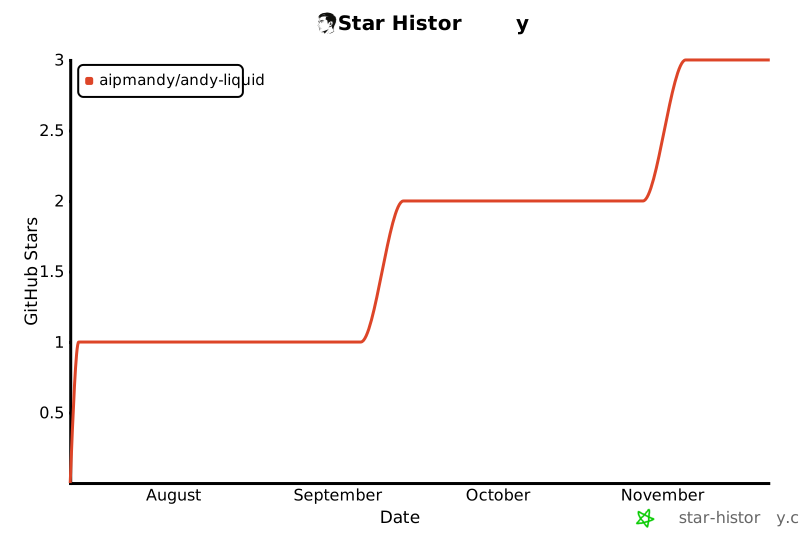](https://star-history.com/#AIPMAndy/andy-liquid&Date) --- <div id="english"></div> # English **Premium liquid and glass effects library for modern web applications** ## ✨ Features 🌊 **Liquid Canvas** - Three.js powered 3D liquid distortion effects 🪟 **Glass Panels** - Apple-style glassmorphism with accessibility 🎯 **Fluid Buttons** - Magnetic hover with spring physics 🔄 **Morph Transitions** - Smooth shape-shifting animations 🧭 **Liquid Navigation** - Floating island and dock-style navigation ## 🚀 Quick Start ### Installation ```bash npm install @andy-liquid/react ``` ### Basic Usage ```tsx import { LiquidCanvas, GlassPanel } from '@andy-liquid/react' export default function App() { return ( <div> <LiquidCanvas text={["Hello", "World"]} intensity={7} /> <GlassPanel variant="medium"> <h1>Beautiful Glass Effect</h1> </GlassPanel> </div> ) } ``` ## 📦 Packages - `@andy-liquid/core` - Core effects engine - `@andy-liquid/react` - React components - `@andy-liquid/vue` - Vue components (coming soon) - `@andy-liquid/svelte` - Svelte components (planned) ## 🎨 Design Philosophy Andy Liquid integrates best practices from: - 🍎 Apple's Liquid Glass design language - 🎬 High-end agency visual standards - ⚡ Performance-first fluid animations - ♿ WCAG accessibility compliance ## 📖 Documentation Visit [andy-liquid.dev](https://andy-liquid.dev) for complete documentation. ## 🤝 Contributing Contributions are welcome! See [CONTRIBUTING.md](CONTRIBUTING.md) for guidelines. ## 📄 License MIT © Andy ## 🙏 Credits Built upon: - [threejs-components](https://github.com/klevron/threejs-components) by Kevin Levron - [liquid-effect-animation](https://github.com/StarKnightt/liquid-effect-animation) by StarKnightt - [taste-skill](https://github.com/Leonxlnx/taste-skill) by Leonxlnx -
SKILL.md 517 B
--- name: andy-liquid description: Three.js liquid metal / bloom 3D animation video renderer using React + Three.js version: 0.1.0 --- # Andy Liquid Three.js-based 3D liquid metal animation renderer. Produces professional-grade visual effects for video: bloom post-processing, particle systems, dynamic camera movements. ## Quick Start ```bash cd andy-liquid pnpm install pnpm build ``` ## Use Cases - Brand launch videos - Cinematic intros - Generative art backgrounds See `README.md` for full documentation. -
skills-lock.json 243 B
Loading… -
turbo.json 492 B
Loading…
Comments (0)
Sign in to join the conversation.
Reviews (0)
No reviews yet.
No comments yet.