93-graphics-grit-reel-brush-bar
Makes the "Grit Reel Brush Bar" animated graphic (a one-line title typed letter by letter on a dry-brush colour bar over dark scratched film grain, with a small circuit-line tag and camera-gate HUD marks) from the user's own text and colours, as a finished 16:9 video. Use when th
Install
npx skills add https://github.com/pihu26112005/claude-editing-skills/tree/main/skills/93-graphics-grit-reel-brush-bar
claude plugin marketplace add https://llmmart.ai/marketplace.json && claude plugin install pihu26112005-claude-editing-skills@llmmart
git clone https://github.com/pihu26112005/claude-editing-skills.git
The skills CLI installs just this skill, for any of its supported agents. Claude Code installs the whole pihu26112005/claude-editing-skills collection as a plugin from our marketplace. Git is the plain clone.
README
93 · Grit Reel Brush Bar
Results
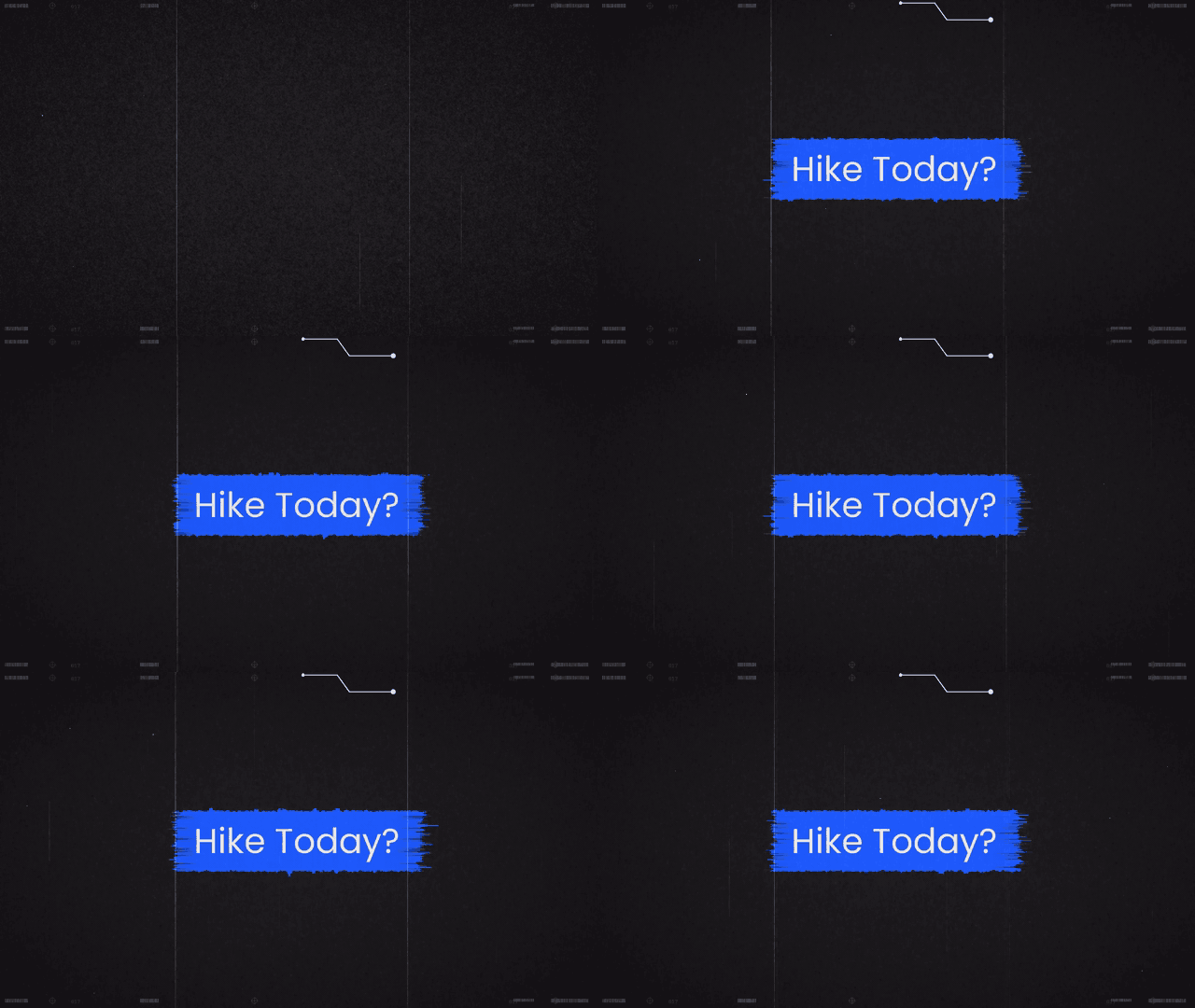
Your content, animated by Claude. A short title typed on a sweeping dry-brush bar over dark scratched film; the demo uses a trail-walk title on a cobalt bar.
Format: 16:9 · 1920×1080 · 6 s
The graphic
A rough, dry-brush colour bar sweeps across dark, grainy film while your title types on inside it. A thin line tag draws in at the top, camera-gate marks sit along the top and bottom edges, and scratches, dust and flicker keep the film alive. The bar's brush edge shifts shape every few frames, then the card holds.
Perfect for teaser titles, question hooks, gritty intros and punchy highlight lines.
Give it:
- your main text (up to 16 characters, one line);
- optional: bar colour (default red), text colour, line and HUD colour, film base tone, HUD readout (default 000).
What you get back: a finished 16:9 video (or a still image), rendered and checked by Claude.
What's inside:
- SKILL.md: how Claude collects your content, checks it and renders the graphic.
- description.md: the full specification: canvas, 6 parameters, every element and beat.
Try it:
/motion-graphics-skills:93-graphics-grit-reel-brush-bar
Make this graphic. Main text: "Hike Today?". Bar colour: cobalt.
Skill manifest
93 · Grit Reel Brush Bar
1. YOUR JOB
You make one animated graphic. Its design is fixed in description.md. Collect the parameter values, check them, render the graphic exactly as specified, check the frames, and deliver. Never change the beats, layout, timing or motion. Never add elements.
2. COLLECT THE PARAMETERS
2.1 Parameters
| ID | Parameter | Required | Default |
|---|---|---|---|
| P1 | Main text (≤ 16 chars, 1 line) | yes | none |
| P2 | Bar colour | no | #C00103 |
| P3 | Text colour | no | #F3EDED |
| P4 | Line and HUD colour | no | #D8D8D8 |
| P5 | Film base tone | no | #1F1D1D |
| P6 | HUD readout | no | 000 |
2.2 Read everything the user gave
Read the message, attached images and documents. Map each piece to parameters using description.md section 2.1. State the mapping in a short list.
2.3 Check completeness
If P1 is missing, ask for it in one message with its limit ("Main text, max 16 characters, one line"). Mention the optional ones in one line with defaults. Stop and wait.
2.4 Validate
Text length (auto-fit to 70%, else ask to shorten). Colours as hex; text colour must contrast with the bar colour (else suggest the default).
2.5 Complete input
If everything came in the first message, ask nothing and start. Never ask about anything that is not a parameter.
3. HARD RULES
- Same graphic for every user: beats, timing, layout and motion exactly as description.md.
- Only the user's words on screen (plus the HUD readout P6).
- Text is rendered by code, auto-fits, and never leaves the bar.
- Output: 1920×1080, 30 fps, 6 s.
4. WORKFLOW
- Step 1: Collect and validate. Write a table with final values.
- Step 2: Prepare assets: film textures, bar variants, HUD layer, measured and fitted text.
- Step 3: Build every frame from description.md at 1920×1080 and stream into
ffmpeg -c:v libx264 -crf 18 -preset slow -pix_fmt yuv420p -r 30(one process, never hold all frames in memory). - Step 4: Check: a contact sheet (4 fps) plus a strip around the type-on (0.1–0.7 s). Look at them. Checklist: text spelled exactly; every letter inside the bar; bar edges look like dry brush, not combs; no clipping; HUD and line tag visible; the roll glitch lasts 3 frames. Fix and re-render.
- Step 5: Deliver
grit-reel-brush-bar.mp4(claude.ai:/mnt/user-data/outputs/), the final parameter table, and one line on what can be changed.
5. STILL MODE
If the user wants an image, render a frame at 2.0 s (description.md section 7) as a PNG at 1920×1080.
6. NO CODE EXECUTION
Give an editor build sheet: layers (film noise, HUD, line tag, brush bar, text), the keyframes of description.md section 5, colours and font.
7. NEVER DO
Never invent content. Never change the design. Never deliver without looking at the frames. Never ask about anything beyond missing or invalid parameters.
Files (claude-editing-skills)
-
description.md 5.5 KB
Loading… -
README.md 1.4 KB
# 93 · Grit Reel Brush Bar ## Results **Your content, animated by Claude.** A short title typed on a sweeping dry-brush bar over dark scratched film; the demo uses a trail-walk title on a cobalt bar.  **Format:** 16:9 · 1920×1080 · 6 s ## The graphic A rough, dry-brush colour bar sweeps across dark, grainy film while your title types on inside it. A thin line tag draws in at the top, camera-gate marks sit along the top and bottom edges, and scratches, dust and flicker keep the film alive. The bar's brush edge shifts shape every few frames, then the card holds. Perfect for teaser titles, question hooks, gritty intros and punchy highlight lines. **Give it:** - your main text (up to 16 characters, one line); - optional: bar colour (default red), text colour, line and HUD colour, film base tone, HUD readout (default 000). **What you get back:** a finished 16:9 video (or a still image), rendered and checked by Claude. **What's inside:** - [SKILL.md](SKILL.md): how Claude collects your content, checks it and renders the graphic. - [description.md](description.md): the full specification: canvas, 6 parameters, every element and beat. **Try it:** ``` /motion-graphics-skills:93-graphics-grit-reel-brush-bar Make this graphic. Main text: "Hike Today?". Bar colour: cobalt. ``` -
SKILL.md 3.3 KB
---
name: "93-graphics-grit-reel-brush-bar"
description: "Makes the \"Grit Reel Brush Bar\" animated graphic (a one-line title typed letter by letter on a dry-brush colour bar over dark scratched film grain, with a small circuit-line tag and camera-gate HUD marks) from the user's own text and colours, as a finished 16:9 video. Use when the user wants a gritty film title, brush-stroke highlight title, dark worn-film teaser text, red-bar caption or distressed lower-third style title card."
---

# 93 · Grit Reel Brush Bar

## 1. YOUR JOB
You make one animated graphic. Its design is fixed in description.md. Collect the parameter values, check them, render the graphic exactly as specified, check the frames, and deliver. Never change the beats, layout, timing or motion. Never add elements.

## 2. COLLECT THE PARAMETERS
### 2.1 Parameters
| ID | Parameter | Required | Default |
|---|---|---|---|
| P1 | Main text (≤ 16 chars, 1 line) | yes | none |
| P2 | Bar colour | no | #C00103 |
| P3 | Text colour | no | #F3EDED |
| P4 | Line and HUD colour | no | #D8D8D8 |
| P5 | Film base tone | no | #1F1D1D |
| P6 | HUD readout | no | 000 |

### 2.2 Read everything the user gave
Read the message, attached images and documents. Map each piece to parameters using description.md section 2.1. State the mapping in a short list.
### 2.3 Check completeness
If P1 is missing, ask for it in one message with its limit ("Main text, max 16 characters, one line"). Mention the optional ones in one line with defaults. Stop and wait.
### 2.4 Validate
Text length (auto-fit to 70%, else ask to shorten). Colours as hex; text colour must contrast with the bar colour (else suggest the default).
### 2.5 Complete input
If everything came in the first message, ask nothing and start.
Never ask about anything that is not a parameter.

## 3. HARD RULES
- Same graphic for every user: beats, timing, layout and motion exactly as description.md.
- Only the user's words on screen (plus the HUD readout P6).
- Text is rendered by code, auto-fits, and never leaves the bar.
- Output: 1920×1080, 30 fps, 6 s.

## 4. WORKFLOW
- Step 1: Collect and validate. Write a table with final values.
- Step 2: Prepare assets: film textures, bar variants, HUD layer, measured and fitted text.
- Step 3: Build every frame from description.md at 1920×1080 and stream into `ffmpeg -c:v libx264 -crf 18 -preset slow -pix_fmt yuv420p -r 30` (one process, never hold all frames in memory).
- Step 4: Check: a contact sheet (4 fps) plus a strip around the type-on (0.1–0.7 s). Look at them. Checklist: text spelled exactly; every letter inside the bar; bar edges look like dry brush, not combs; no clipping; HUD and line tag visible; the roll glitch lasts 3 frames. Fix and re-render.
- Step 5: Deliver `grit-reel-brush-bar.mp4` (claude.ai: `/mnt/user-data/outputs/`), the final parameter table, and one line on what can be changed.

## 5. STILL MODE
If the user wants an image, render a frame at 2.0 s (description.md section 7) as a PNG at 1920×1080.

## 6. NO CODE EXECUTION
Give an editor build sheet: layers (film noise, HUD, line tag, brush bar, text), the keyframes of description.md section 5, colours and font.

## 7. NEVER DO
Never invent content. Never change the design. Never deliver without looking at the frames. Never ask about anything beyond missing or invalid parameters.
Comments (0)
Sign in to join the conversation.
Reviews (0)
No reviews yet.
No comments yet.