Bringing a cluster back after the host rebooted
Bringing a cluster back after the host rebooted
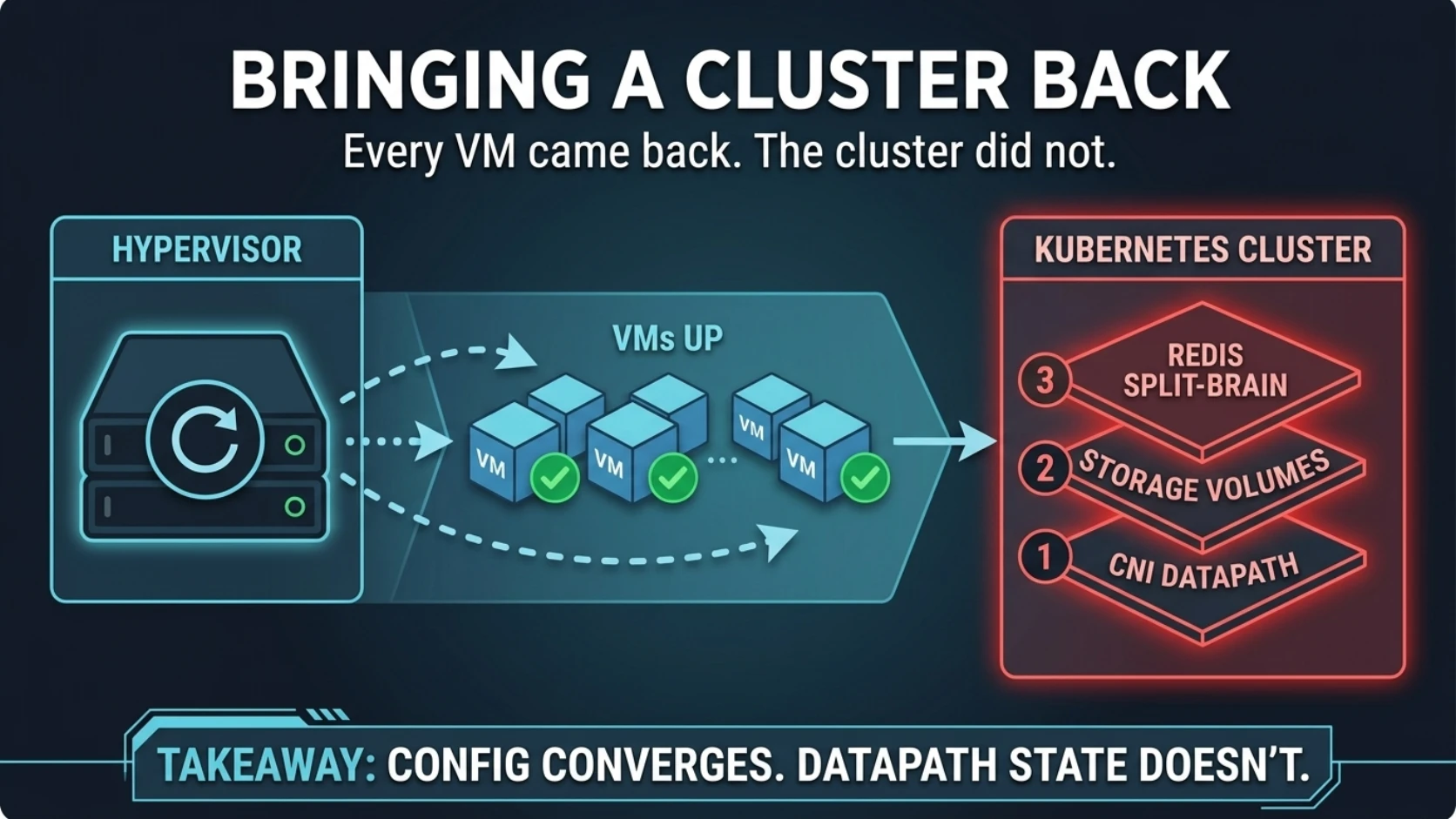
Every VM came back.
The hypervisor patched cleanly and rebooted. Proxmox started the guests. The control plane
answered. All five nodes went Ready. By every measure a hypervisor knows about, the job
was done.
The cluster did not come back. Longhorn volumes sat in faulted. A handful of system pods
crash-looped. Redis had three masters and a Service with zero endpoints, so every app that
needed Redis was down.
Nothing was misconfigured. Every manifest in git described a healthy cluster. That was the problem, though I didn't see it for a while.
What was actually happening
A whole-host reboot isn't a node reboot. When one node restarts, the rest of the cluster holds the state. When every VM restarts at once, nothing does: every node rebuilds its networking simultaneously, in a disk-I/O boot storm, while every controller reconciles.
Three separate failures stacked up.
One: stale pod networking on some of the rebooted nodes. The CNI at the time was Weave Net, plus kube-proxy writing iptables rules for Service IPs. Both keep a lot of state in the kernel: routes, veth pairs, the overlay's forwarding entries, thousands of iptables rules. After the reboot, some of that state came back half-built. The DaemonSet pods were running, so nothing looked wrong. But certain pods couldn't reach certain IPs.
On one worker, the Longhorn manager couldn't reach the API server's ClusterIP:
$ kubectl -n longhorn-system logs longhorn-manager-7xk2p | tail -2
... failed to list *v1.Node: Get "https://10.96.0.1:443/api/v1/nodes": dial tcp 10.96.0.1:443: i/o timeout
... failed to list *v1.Pod: Get "https://10.96.0.1:443/api/v1/pods": dial tcp 10.96.0.1:443: i/o timeout
Two: storage faulted because of the networking. A manager that can't talk to the API
server never becomes ready and never serves its port. Without it, that node's instance
manager goes Unknown and the CSI plugin crash-loops. Every volume with a replica on that
node lost contact with the replica. Longhorn's docs define faulted as the state where the
engine "loses the connection to all the replicas, and all replicas are marked as being in
an error state."
Three: Redis split-brain, also because of the networking. The Redis operator had
reconnected to a network that was only half there. It logged i/o timeout against one of
the Redis pods, couldn't finish a pass, and didn't elect anybody. All three pods came up as
role:master. The redis-master Service selects on a redis-role=master label that only
the operator sets, so its endpoints were empty. The sentinels crash-looped on a config file
with the same sentinel monitor line written twice.
Storage and Redis were symptoms. One root cause, on some nodes and not others.
The proof
The test that settled it was cheap: start a fresh pod on the same node and try the same IP.
kubectl run nettest --rm -i --restart=Never \
  --image=curlimages/curl \
  --overrides='{"apiVersion":"v1","spec":{"nodeName":"node-4"}}' \
  -- curl -sk -m 3 https://10.96.0.1/version
It returned the API server's version JSON right away.
The Longhorn manager on the same node, going to the same destination, still timed out. That rules out the API server and the node's own routing. What's left is the datapath state belonging to the pods that were already running when the node came up.
The fix was dull on purpose: one node at a time, waiting for readiness in between:
# 1. Rebuild the CNI's datapath on this node
kubectl -n kube-system delete pod weave-net-q8d4r
kubectl -n kube-system get pod -o wide | grep weave-net   # wait for 2/2 on node-4

# 2. Reprogram Service iptables if kube-proxy is also wedged
kubectl -n kube-system delete pod kube-proxy-m2v9c

# 3. Give the affected workloads a clean network namespace
kubectl -n longhorn-system delete pod longhorn-manager-7xk2p
The crash loops cleared in order: Longhorn's CSI plugin, a message-queue operator, kube-state-metrics. Nobody touched them. They'd only ever been waiting for the network.
Once each node's instance manager was back, the Longhorn volumes healed without any manual steps:
$ kubectl -n longhorn-system get volumes.longhorn.io
NAME                                       STATE      ROBUSTNESS   ...
pvc-3f1c...                                attached   healthy
pvc-9a07...                                attached   healthy
pvc-c2e4...                                attached   degraded     # rebuilding a replica
That was Longhorn's automatic salvage, on by default. When every replica has errored,
it picks the usable ones (highest revision counter, or failing that the most recently
written volume-head) and rebuilds the rest from them. My whole contribution was giving it
a manager to run on, which is the most useful kind of help.
Redis still needed a person, because the operator that should have fixed it was the thing that was broken:
# Stop the operator so it can't relabel anything while we work
kubectl -n redis-operator scale deploy/redis-operator --replicas=0

# Promote the pod the others were last following. REDISCLI_AUTH reads the password
# from the pod's own env, so it never appears in the command I send (post 4).
kubectl -n data exec redis-0 -- sh -c 'REDISCLI_AUTH="$REDIS_PASSWORD" redis-cli REPLICAOF NO ONE'

# Point the other two at it
for p in redis-1 redis-2; do
  kubectl -n data exec "$p" -- sh -c '
    export REDISCLI_AUTH="$REDIS_PASSWORD"
    redis-cli CONFIG SET masterauth "$REDIS_PASSWORD"
    redis-cli REPLICAOF 10.0.0.41 6379'
done

# Give the Service a pod to select
kubectl -n data label pod redis-0 redis-role=master --overwrite
kubectl -n data get endpoints redis-master
CONFIG SET masterauth does put the password in redis-cli's argv inside the pod, so
rotate it afterwards if that matters to you. Endpoints came back, and the apps with them. After the CNI rebuild on the remaining
workers, I scaled the operator back to one. It detected redis-0 as master by querying
Redis, not by trusting my label, and took control back cleanly.
The sentinels were a separate trap. Their config is in an emptyDir, and a container
restart reads the same broken file again. Delete the pod, not the container. A new pod
gets a new emptyDir. SENTINEL CKQUORUM came back OK about a minute later.
Why it fooled me
I started with storage.
That's where the noise was. faulted volumes are the scariest word on the screen, the
Longhorn pods were visibly crash-looping, and data loss is the one failure you can't roll
back. So I spent the first stretch of the recovery on Longhorn: reading instance-manager
state and replica lists, and working out whether anything needed a salvage.
It didn't. Longhorn was a very loud victim.
The deeper mistake was an assumption I didn't know I had. I treated Kubernetes as a system
that converges. Nodes are Ready, DaemonSets are running, controllers are reconciling, so
the rest will settle if I give it time. That is true for everything Kubernetes stores in
etcd. It isn't true for routes, veth pairs, overlay forwarding tables or iptables chains
that a pod programmed at boot and never checks again. A running weave-net pod is a
statement about a process. It says nothing about whether that process's kernel state is
correct. (Post 2 has a whole ladder about this. I apparently needed to climb it again.)
One unrelated thing surfaced too. ct-01, the container serving the cluster's NFS share,
didn't start. Nobody had set it to start on boot, and its config had drifted: an
invalid nesting: 1 line, no arch or ostype, no network interface. It had kept running
on the network namespace it booted with. The freshly patched Proxmox parser was stricter:
unknown setting 'nesting'
A long-running process hides drift, and the first restart in months is when you find
out. And the hook was technically accurate: ct-01 is
a container, not a VM.
And then, two weeks later: don't wipe the volume
The storage-first instinct has a more expensive version. A couple of weeks later, on the
same cluster, two pods crash-looped for days with input/output error inside their Longhorn
volumes: a Grafana database and a Redis append-only-file manifest. It looked exactly like
corruption. The obvious fix is to delete the PVC and restore from backup.
Neither volume was damaged. Each pod had hit a brief node-level fault and then sat at the five-minute maximum crash backoff, never getting a clean retry after the fault cleared.
Before you destroy anything:
kubectl -n longhorn-system get volumes.longhorn.ioshowshealthy, andget replicas.longhorn.ioshows every replica running with nofailedAt.- Scale the workload to zero. Mount the PVC in a throwaway pod and read the file end to
end with
dd if=/data/grafana.db of=/dev/null. If it reads cleanly at full speed, the file is intact. ls -la /data/lost+found. If it's empty, fsck didn't orphan any inodes, and "errors corrected by fsck" meant journal replay after an unclean detach.
Both passed. The fix was a clean remount: delete the pod, or scale to zero and back. No
data loss. Grafana logged performed=0 skipped=690 for its migrations on restart. A restore
would have quietly thrown away every change made since the backup.
The checks that actually prove it
After any full-cluster restart, in this order:
- Hypervisor and guest config. Everything that should autostart did, including the containers nobody remembers.
- The datapath. On each node, a fresh pod reaches the API server ClusterIP and a pod IP on another node. If a fresh pod succeeds where an old one fails, restart that node's CNI pod. One node at a time.
- Storage. Volumes go
faulted→degraded→healthyon their own once managers are ready. No manual salvage and no wipes until the checks above say the data is gone. - Leader-elected stateful services. Actual roles (
INFO replicationon every pod), and endpoints on the role-selecting Service. A healthy StatefulSet can still have an empty master Service. - Operators and
emptyDirconfig. Recreate wedged pods. Don't annotate the custom resource to "poke" it; some operators copy CR annotations onto the pod template and roll everything. - Apps last. Most will have recovered on their own.
An agent is well suited to this work: parallel reading, correlating logs across nodes, running the same test on every node, identically. It's also the work where the tempting action, deleting the broken-looking thing, can't be undone. Let it investigate freely. Make it stop before anything that deletes data.
Rule to steal
Declarative systems converge on config, not on datapath state. After a full restart, test the network from a fresh pod before you trust any pod that was already running, and fix the CNI before storage and storage before workloads. A volume that looks corrupt is a stuck retry until a direct read proves otherwise.
Next: The overlay that pinged but wouldn't carry TCP — peer discovery worked, ping worked, and every TCP connection timed out for hours.
Comments (0)
Sign in to join the conversation.
No comments yet.