A terminal coding agent that reads your code, edits files, and runs commands under permission rules you control.
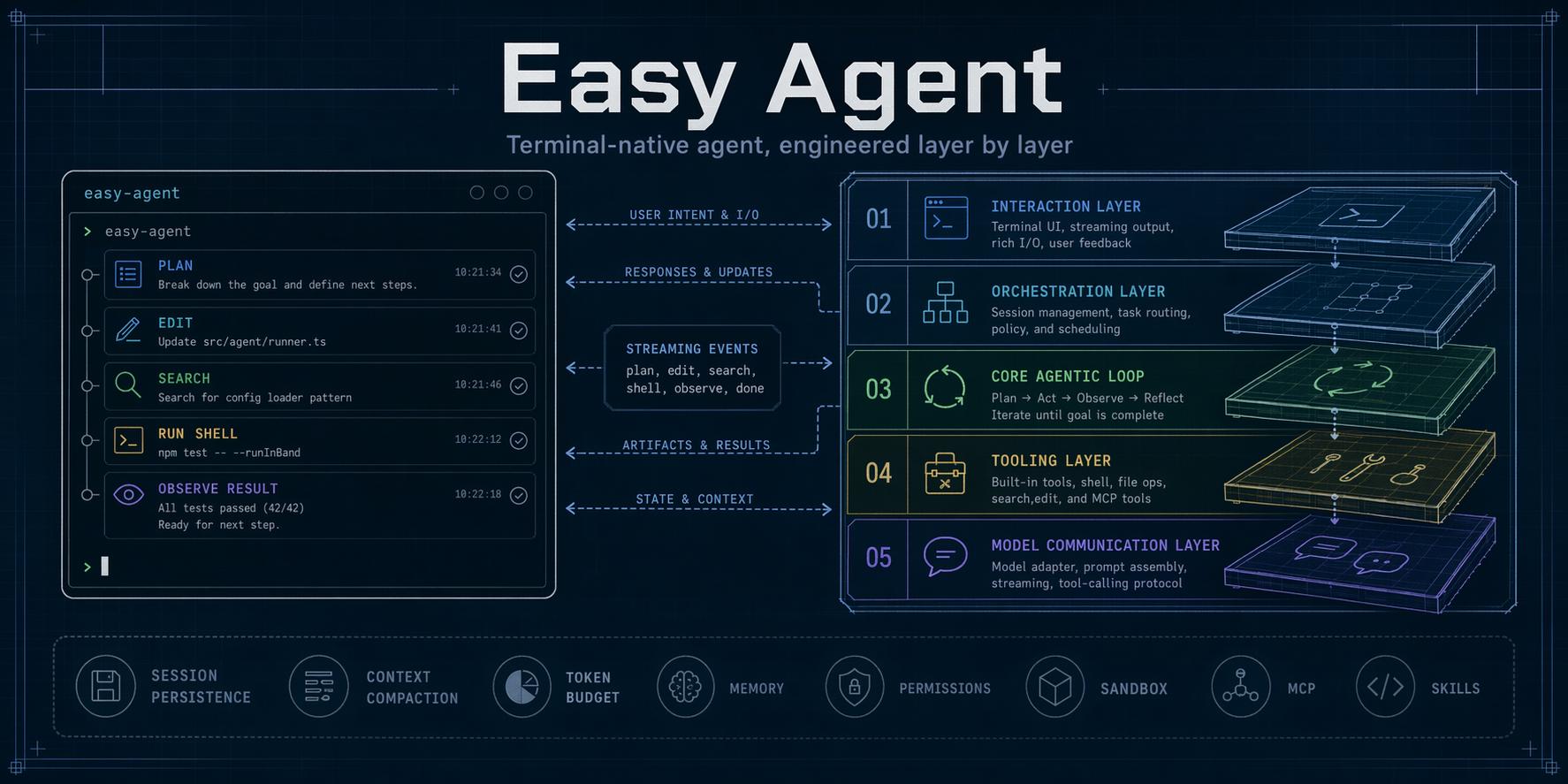
Easy Agent (eagent) runs in your terminal next to your repository. Describe a task and it plans the work, reads and changes files, runs tests or shell commands, and reports back. Every action that can change your machine goes through permission rules, workspace trust, and an optional OS-level sandbox. It works with Anthropic, OpenAI-compatible, Gemini, and local models.
The code is written to be read as well as run. Model communication, the agentic loop, tools, permissions, context management, and each extension system live in separate layers. The documents linked below explain how the security-relevant parts behave and why, and the learning path walks through the layers in order with code snapshots, which helps if you want to build or customize an agent of your own.
中文文档:README.zh-CN.md
What you can use it for
- Find your way around an unfamiliar codebase: ask where something is handled, how a flow works, or what a change would touch.
- Make multi-file changes, review the diff, and undo them with
/rewindif they are wrong. - Run builds and tests, read the failures, and iterate on a fix.
- Plan a change first in read-only Plan Mode, then carry it out.
- Script it: pipe input into
eagent -pand read text, JSON, or NDJSON output in CI or shell scripts. - Connect your own tools through MCP servers, skills, custom agents, hooks, and plugins.
Install
Requirements: Node.js 22 or newer, npm, and credentials for at least one supported model provider.
npm install -g --ignore-scripts eagent
eagent --version
Or try it without installing:
npx --yes eagent@latest
On macOS and Linux an installer is also available. It checks Node.js, installs the same npm package with --ignore-scripts, and verifies that eagent is on PATH. It does not install Node.js or run package lifecycle scripts.
curl -fsSL https://raw.githubusercontent.com/ConardLi/easy-agent/main/install.sh | sh
The package installs two commands, eagent and the long alias easy-agent.
Quick start
export ANTHROPIC_AUTH_TOKEN="your-token"
cd your-project
eagent
On first use in a folder, Easy Agent asks whether you trust it. Then type a request, for example explain how requests are authenticated in this repo. Type /help for commands; press Ctrl+D to exit.
Core capabilities
- File and code tools: Read, Write, Edit, MultiEdit, Glob, Grep, Bash, and PowerShell on Windows
- Web and external tools: WebFetch, WebSearch, MCP tools and resources
- Safe execution: allow/ask/deny rules, Plan Mode, Auto Mode, workspace trust, hooks, controlled subprocesses, private local data, and fail-closed shell sandboxing on macOS and Linux
- Long-running work: TodoWrite, persistent task graphs, sub-agents, background runs, Git worktree isolation, and Agent Teams
- Context and continuity: durable persistence, resume, compaction, token budgets, project memory (
AGENTS.md/AGENT.md), file checkpoints, and rewind - Extensibility: skills, custom agents, slash commands, output styles, hooks, MCP servers, plugins, and static marketplaces
- Interfaces: interactive terminal UI, headless text/JSON/NDJSON output, an embeddable session SDK (
eagent/sdk), JSON-RPC over stdio (eagent --rpc) for desktop apps and other programs, the Agent Client Protocol (eagent --acp) for Zed, JetBrains IDEs, and other ACP editors, images and screenshots, and multiple model protocols
No comments yet.