Quick start | Motivation | What's new | Install guide | Coding agent setup | FAQ | Supported agents
ContextSpy is a context window profiler for large language models and common agentic AI coding tools. It is used to intercept requests to an LLM API, analyze and visualize prompt composition, and track context changes between multiple requests in the same session. Modern AI coding agents (GitHub Copilot, Claude Code, opencode, etc.) pack a lot into each LLM request: system prompts, tool definitions and results, file contents, conversation history. It's often unclear why a session is slow, expensive, or hitting the context limit. ContextSpy makes the invisible visible - you see a live breakdown of every token category for every request, across sessions, over time.
Watch the demo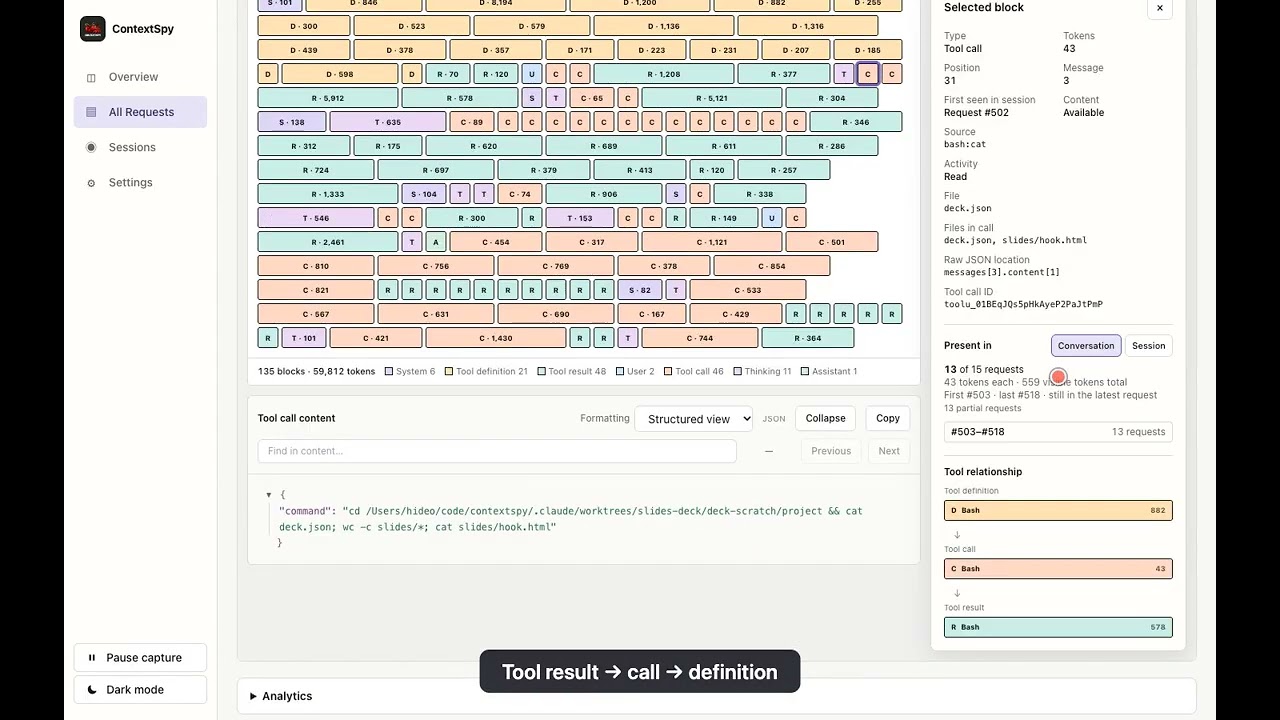
Think of your favorite CPU or memory profiler, just applied to the contents of the context of an AI agent. While you can optimize performance just by reviewing code, having a profiler to capture and visualise snapshot data helps a lot. Same with LLM context optimisation.
Quick start
Quick setup for macOS (Apple Silicon) — see install guide for Linux, Windows, and PyPI options:
# install latest binary release with Homebrew
brew tap RimantasZ/contextspy
brew install contextspy

# Install CA certificate into system trust store (one-time, cloud mode only)
sudo contextspy install-cert

# Start the proxy (keep this terminal open)
contextspy start

# In a new terminal: launch your coding agent through the proxy
# contextspy run sets required environment variables, so LLM requests are routed through the proxy
contextspy run opencode <path to your project>
# contextspy run code <path to your project>
# contextspy run claude # run in the drectory of your project
# contextspy run codex  # run in the directory of your project (Codex CLI, not the desktop app)
Open http://127.0.0.1:5173 in your browser for the ContextSpy dashboard.
If something doesn't work, see the troubleshooting section in the install guide.
Alternatively, refer to configure your agent on how to route LLM traffic through the proxy at http://127.0.0.1:8888
Context profiling? Why should I care?
Token costs are rising. With AI agents embracing more and more complex workflows and use cases, token consumption and subsequent cloud API bills are growing larger and larger. This is also applicable for AI coding agents and tools, where providers are gradually switching from subsidized subscription mode and are either reducing token limits or switching to token usage based billing (e.g. GitHub Copilot).
Input tokens are major part. When discussing AI model pricing, most people bring up token generation cost - that's where the numbers look most dramatic ($25 per million tokens for Opus 4.8 output vs $0.40 for gpt-5-nano). But in agentic workloads, input tokens outnumber output by 20-50x, or even more. So most of your API bill is influenced by input context, not the output the model generates.
No comments yet.