Unreal Mcp
A comprehensive Model Context Protocol (MCP) server that enables AI assistants to control Unreal Engine through the native C++ Automation Bridge plugin. Built w…
- Transport
- Not stated
- Package
- —
- Registry id
- —
No install snippet on purpose. A working MCP config is a command, its arguments and an environment block — the last two are where API keys live, so this catalogue never stores them and cannot publish them. Follow the link above for the authors' own instructions.
and let it build levels, Blueprints, UI, materials, effects and more, through a native C++ editor plugin.
🧭 One tool, nearly 400 capabilities · ⚙️ Native C++ editor plugin · 🌐 HTTP or stdio · 🔐 Local and token-protected by default · 🎮 Unreal Engine 5.0 – 5.8
🚀 Quick Start · 📖 Wiki · 📦 Releases · 💬 Discussions
📌 Which version is this? This README describes the 0.6 line: the
devbranch and npmunreal-engine-mcp-server@beta. The previous stable release, 0.5.30 (npmlatest), exposes 23 separate tools instead of one; see Upgrading from 0.5.x.
Contents · What it does · How it works · Quick start · The unreal tool · Configuration · Security · Engine plugins · Docker · Documentation · Development · Community
What it does
|
🏗️ Levels and actors |
🧩 Blueprints and UI |
🎨 Materials and worlds |
|
🕹️ Gameplay |
🎬 Cinematics and audio |
🧪 Play and verify |
Nearly 400 capabilities in all, behind a single MCP tool. The assistant finds them by searching in plain words, so nobody has to learn their names. The full list is the generated Action Reference.
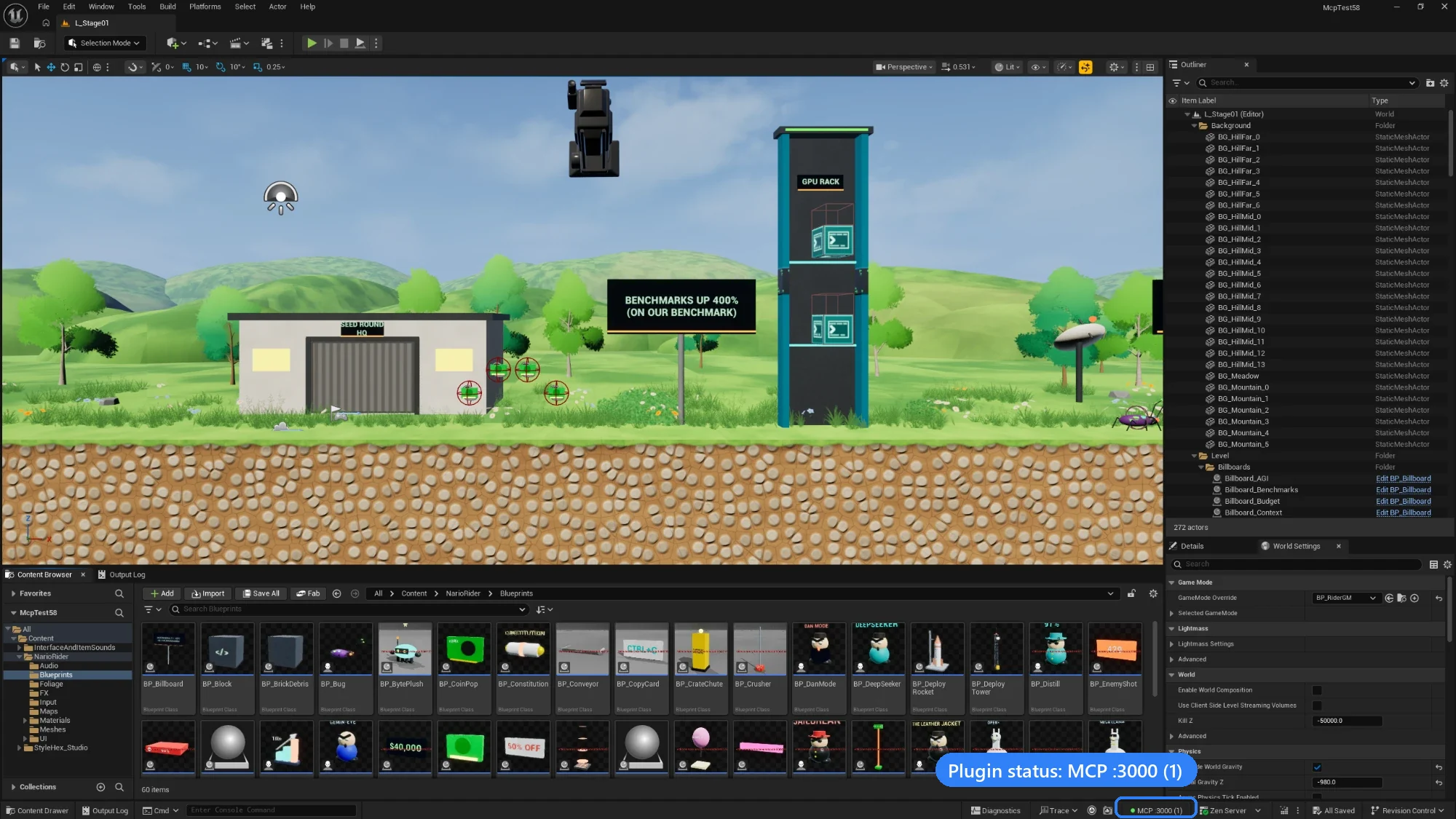
A platformer level built with the MCP, in Unreal Editor 5.8. Bottom right: the plugin's status, MCP :3000 (1), meaning the native server is running on port 3000 with one client connected.
How it works
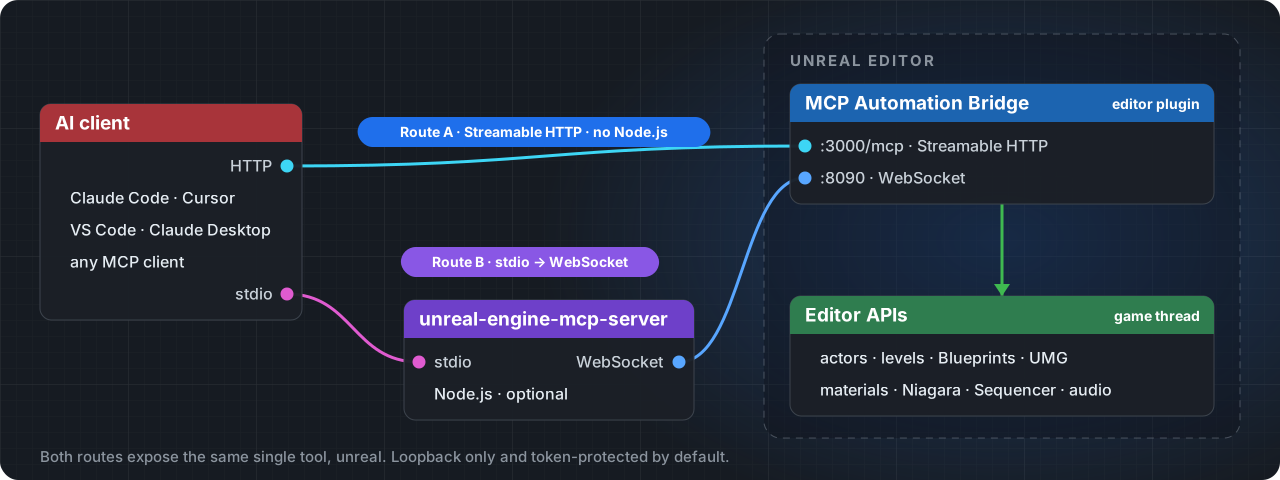
From the project's README.