Myfitnesspal Mcp
MCP server for MyFitnessPal to log meals, search foods with macros, track trends from Claude or any MCP client
Log MyFitnessPal by talking to your AI.


Quickstart · Tools · Authentication · Changelog
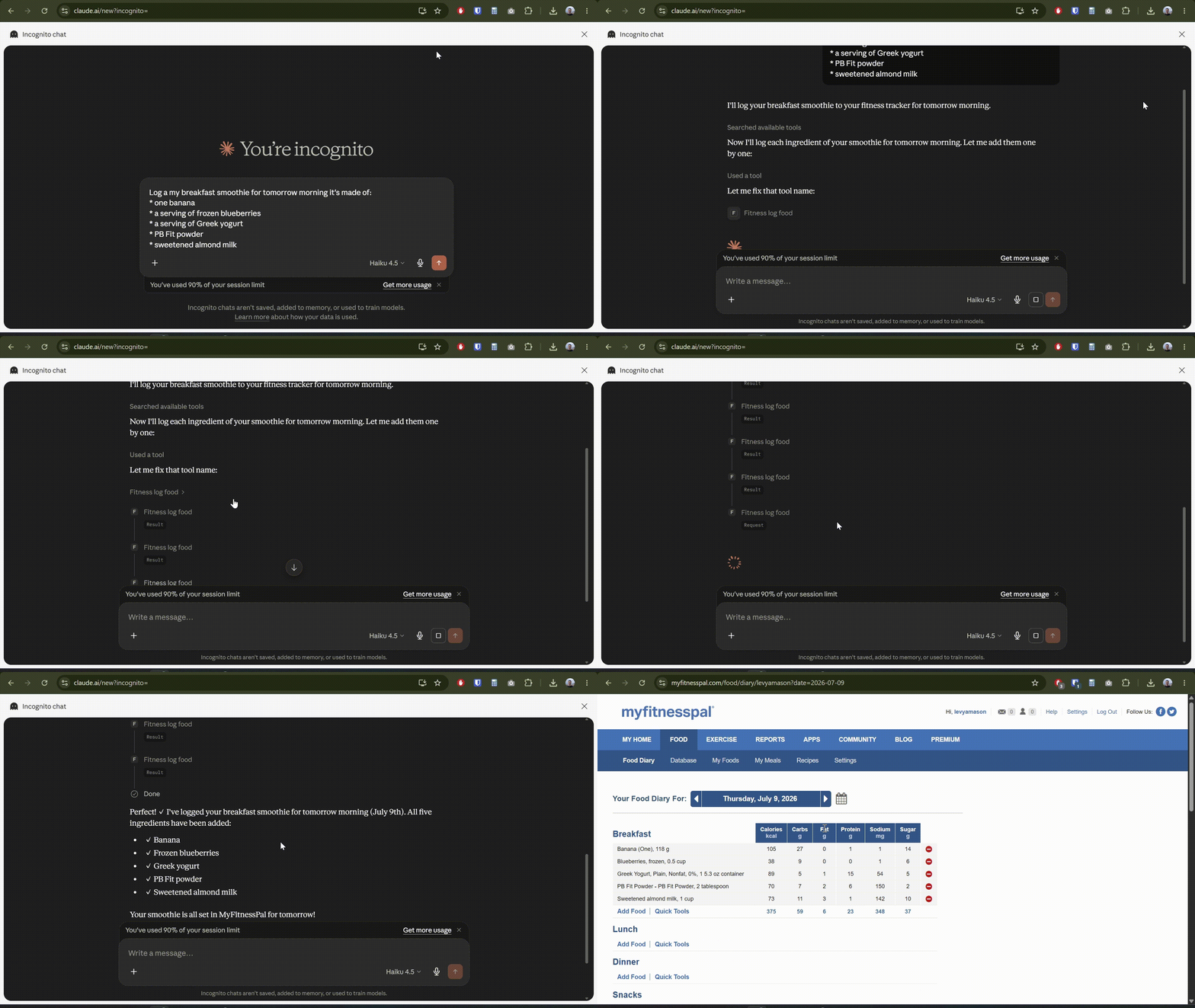
Connect MyFitnessPal to Claude or any MCP client. Log meals by talking, search the food database with macros, track trends, and export your nutrition history, all against your real MyFitnessPal diary.
Published on PyPI as mfp-mcp.
Unofficial. MyFitnessPal has no public API; this reverse-engineers the web app's own endpoints. It can break whenever MFP changes their site. Use at your own risk, with your own account.
Why this one?
MyFitnessPal moved behind Cloudflare + NextAuth, which broke the username/password login that most existing integrations rely on. This server:
- Authenticates with your browser session cookie over a real Chrome TLS fingerprint (curl_cffi), which passes Cloudflare
- Auto-refreshes the session (optional): a headless browser profile rotates the token when it expires, and failed calls retry automatically
- Writes, not just reads: log, modify, and delete real diary entries
- Search-then-log: get candidates with macros, then log the exact item
Quickstart
Connect your account (one-time; prompts you to paste a cookie — see Authentication):
uvx mfp-mcp authAdd the server to your client.
Claude Code
claude mcp add myfitnesspal -- uvx mfp-mcpClaude Desktop (
claude_desktop_config.json){ "mcpServers": { "myfitnesspal": { "command": "uvx", "args": ["mfp-mcp"] } } }Talk to it: "log a banana as a snack", "what did I eat yesterday?", "chart my weight this month".
Requires uv. Any MCP client that speaks stdio or streamable HTTP works, not just Claude.
Authentication
This server signs in with your browser's MyFitnessPal session cookie:
- Log in at myfitnesspal.com
- Open DevTools (F12) → Application (Chrome) or Storage (Firefox) →
Cookies →
https://www.myfitnesspal.com - Copy the value of
__Secure-next-auth.session-token - Paste it into the
mfp-mcp authprompt
Sessions last around 30 days. When one expires, either re-run auth or
enable auto-refresh so you never have to. mfp-mcp auth --check reports
whether the saved session still works and whether auto-refresh is set up,
without prompting or changing anything.
Auto-refresh (recommended)
From the project's README.