Mesh2cad
Convert STL/OBJ/PLY meshes into editable CAD (STEP + parametric CadQuery/OpenSCAD/FreeCAD) with primitive fitting. CLI + MCP server
mesh2cad converts an STL mesh of a simple mechanical part into editable parametric CAD: STEP, CadQuery, OpenSCAD, and FreeCAD scripts. It is also an MCP server.


If you find this useful, you can support me by getting a SkinToScan pack, my other project. It's a one-time purchase that directly funds my open-source work.


OBJ and PLY meshes work the same way. The fit runs on your machine. Nothing is uploaded.
A STEP file is the solid. When the fit is exact, a hole is one cylindrical face, not a ring of triangles. A script is for changing a dimension and rebuilding. CadQuery is Python. OpenSCAD is the text the Customizer on Thingiverse and Printables edits. The FreeCAD file is a macro. All three use the same names, so hole_1_d is the same hole in each of them.
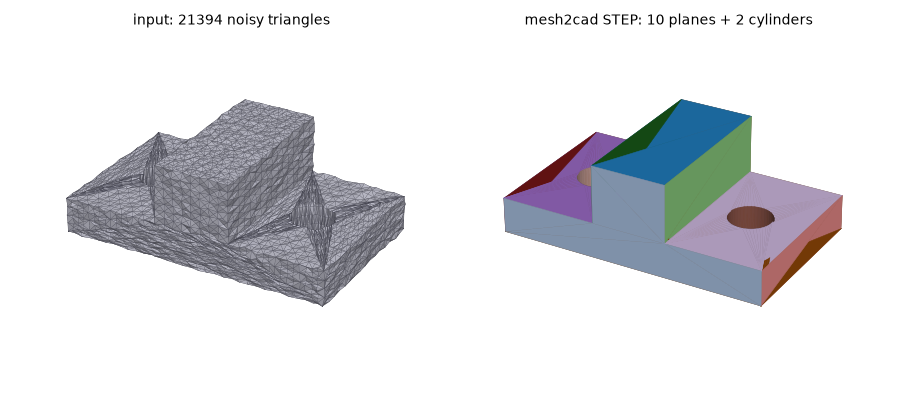
Left: a 21k-triangle mesh with 0.1 mm noise. Right: the STEP file mesh2cad writes, 10 planes and 2 cylinders, max deviation 0.05 mm from the true part.
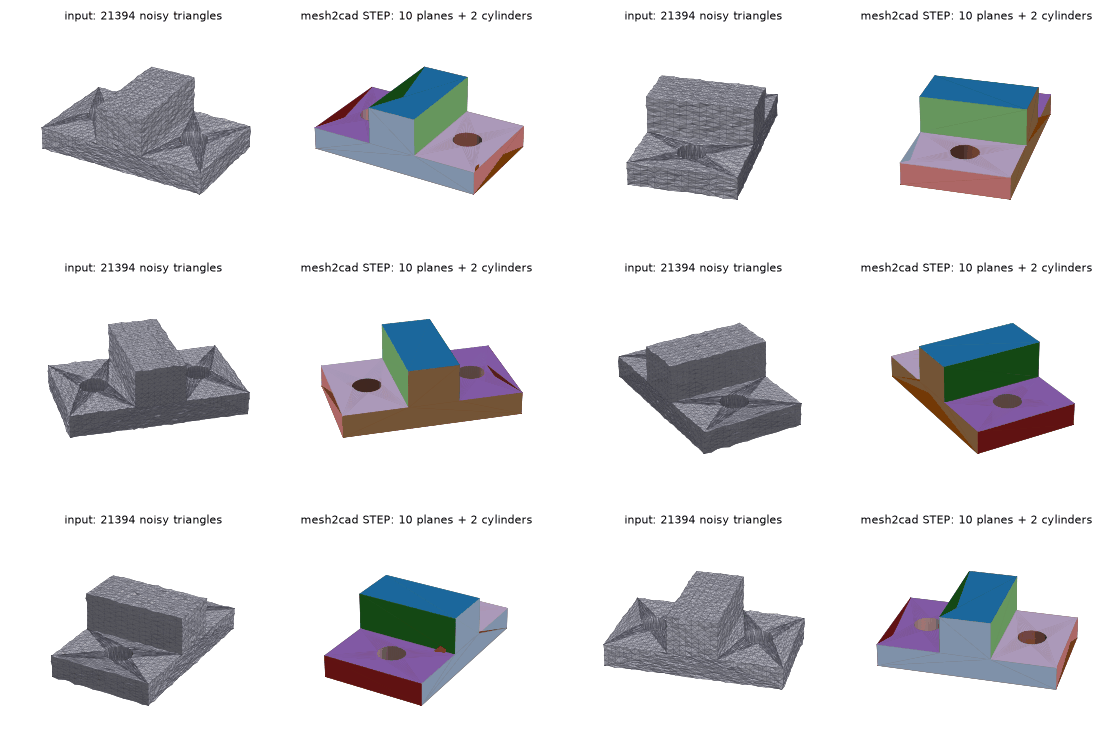
Four printer parts, with the STEP files and the generated scripts, are in the example gallery.
Hackaday wrote about it: Mesh2Cad Automates Re-Modelling.
Install
pip install mesh2cad
Python 3.10 or newer. That install is the command line tool and STEP export. OpenCascade comes in with the package (cadquery-ocp).
pip install "mesh2cad[mcp]" adds the server. pip install "mesh2cad[cadquery]" lets mesh2cad run a generated .py and check it before the file is written. OpenSCAD and FreeCAD are separate programs, not pip packages. Without openscad on PATH, a .scad file is still written and the command says it was not verified. A .FCMacro is written only when a check passes. What happens when freecadcmd is missing is in Install.
Quick start
mesh2cad convert plate.stl --cadquery plate.py
mesh2cad edit plate.py --set hole_grid_1_d=8 --in-place -o plate.step
The first command writes plate.py. Diameters, thicknesses, and positions are names at the top of the file. A four-hole grid is hole_grid_1_d. The second sets that diameter to 8 mm, rewrites the script, and writes plate.step. Every other byte of the file stays as it was.
mesh2cad edit bracket.py --set base_x=+2 adds 2 mm to the current length. A leading + or - is a change from the current number, not how you set a negative value. mesh2cad params bracket.py prints each name, its value, and the unit when there is one.
From the project's README.