Md Redline
Inline review comments for markdown specs. Built-in MCP server hands feedback directly to your AI agent.
- Transport
- Not stated
- Package
- —
- Registry id
- —
No install snippet on purpose. A working MCP config is a command, its arguments and an environment block — the last two are where API keys live, so this catalogue never stores them and cannot publish them. Follow the link above for the authors' own instructions.
Inline review comments for markdown specs, prompts, and design docs.
Highlight text in a rendered document, leave comments, and your AI agent can read and address them directly. Comments are stored as invisible HTML markers in the .md file itself. No sidecar files, no database, no external service. The markdown file stays the source of truth.
With the built-in MCP server, review runs in both directions. Your agent can request your review mid-task and pause until you send your feedback, or review a doc you wrote and leave anchored comments for you. Either way: no copy-paste, no context switching.
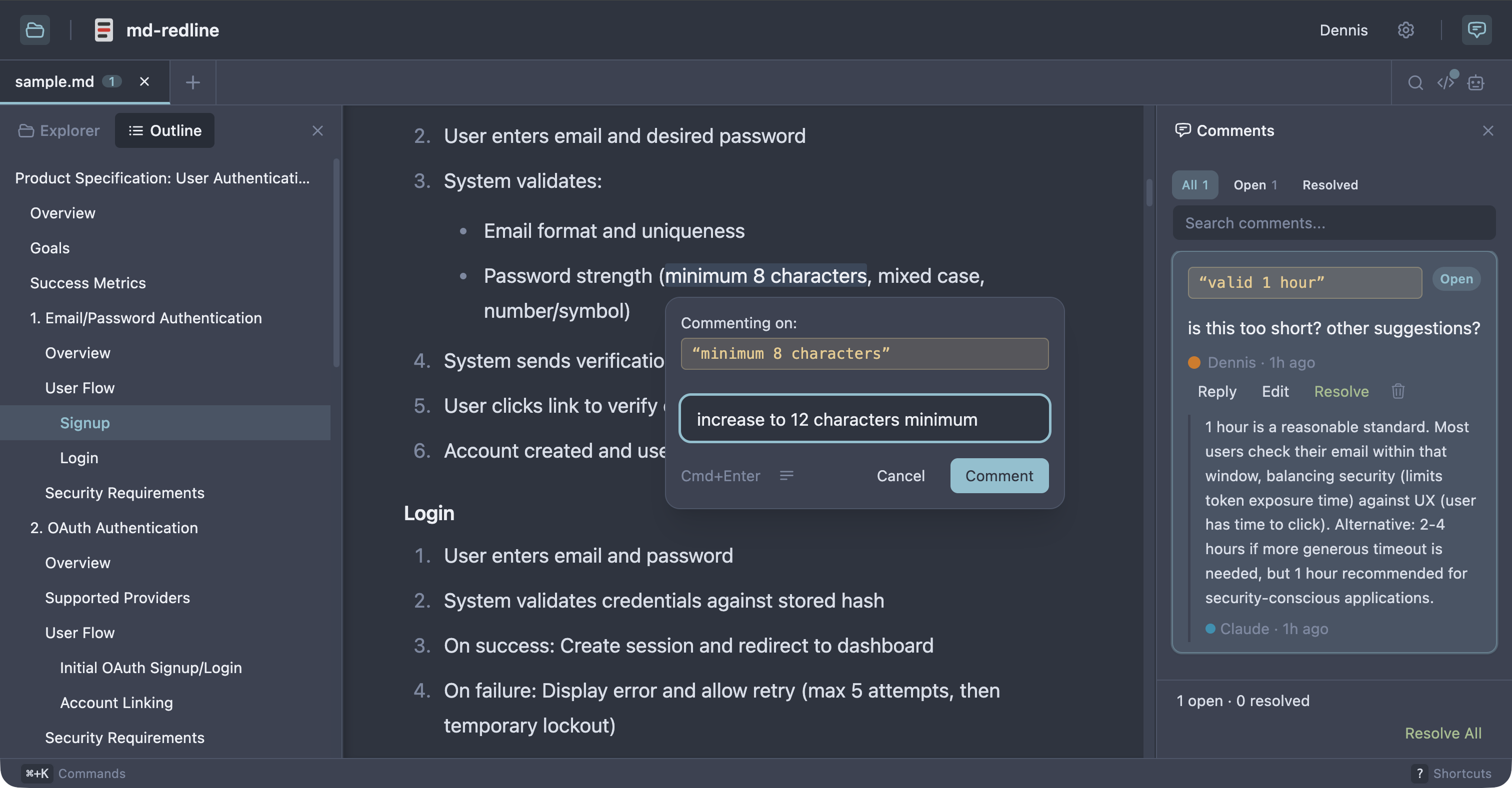
See the full review workflow in about 30 seconds:
https://github.com/user-attachments/assets/8b9b3546-a895-42e1-b3cc-5ee5b2c00398
Works with Claude Code, Claude Desktop, Codex CLI, Gemini CLI, and any other MCP client that supports stdio servers. As Sean Grove argues in specs are the new code, specs are becoming the primary unit of work in agentic development. mdr gives that workflow review tooling closer to code review.
Quick start
Prerequisite: Node 20 or newer.
npx md-redline /path/to/spec.md
This starts the local app if needed and opens it in your browser.
Or install globally:
npm install -g md-redline
mdr /path/to/spec.md        # Open a file
mdr /path/to/dir             # Open a directory
mdr --stop                   # Stop the running server
mdr sessions                 # List open review sessions (--kill ID ends one)
md-redline also works as an alias for mdr.
That gives you the viewer and commenting. The agent integration (reviews in both directions, anchored questions) comes from the MCP server, registered in the next section.
Updating
mdr checks npm once a day (from its local server, never blocking anything) and shows a small notice in the viewer and the terminal when a new version is out. Upgrading is one command:
npm install -g md-redline@latest
The running server restarts itself on the next mdr invocation after an
upgrade. To disable update checks entirely, set NO_UPDATE_NOTIFIER=1 (or
run in CI, which is auto-detected). Note this is a presence check, following
the ecosystem convention: any value, even 0 or empty, disables the checks.
MCP setup
Register the MCP server with your agent so it can request reviews mid-task.
Claude Code or Claude Desktop
mdr mcp install                   # register with both clients (default)
mdr mcp install --claude-code     # just Claude Code (via `claude mcp add`)
mdr mcp install --claude-desktop  # just Claude Desktop (JSON config file)
Codex CLI
codex mcp add md-redline -- mdr mcp
Gemini CLI
gemini mcp add --scope user md-redline mdr mcp
The --scope user flag is important. Gemini defaults to per-project scope, which only registers mdr for the current directory.
Other MCP clients
Add this server entry to your client's MCP config file:
{
  "mcpServers": {
    "md-redline": {
      "command": "mdr",
      "args": ["mcp"]
    }
  }
}
Prerequisite: mdr must be on your PATH (e.g. via npm install -g md-redline). If your client spawns subprocesses without inheriting your shell's PATH, use the absolute path from which mdr as the command value.
After installing, restart your MCP client; most clients only discover new servers at launch. To verify, ask your agent "what mdr tools do you have?" and it should list mdr_request_review, mdr_comment, mdr_ask, mdr_wait, mdr_baseline, and mdr_add_files. (mdr_comment was called mdr_review before 0.9; the old name still works if you have it saved in a prompt, but agents are no longer offered it.)
From the project's README.