Davinci Resolve Mcp
MCP server integration for DaVinci Resolve Studio
- Transport
- Not stated
- Package
- —
- Registry id
- —
No install snippet on purpose. A working MCP config is a command, its arguments and an environment block — the last two are where API keys live, so this catalogue never stores them and cannot publish them. Follow the link above for the authors' own instructions.
English | 简体中文



-blue.svg)
-18%20tools-blueviolet.svg)




A Model Context Protocol (MCP) server that lets AI assistants control DaVinci Resolve Studio through the official Scripting API. It provides full API coverage plus guarded workflow helpers for editing, media pool organization, render setup, review markers, grading, Fusion, Fairlight, project lifecycle tasks, extension authoring, and source-safe media analysis.
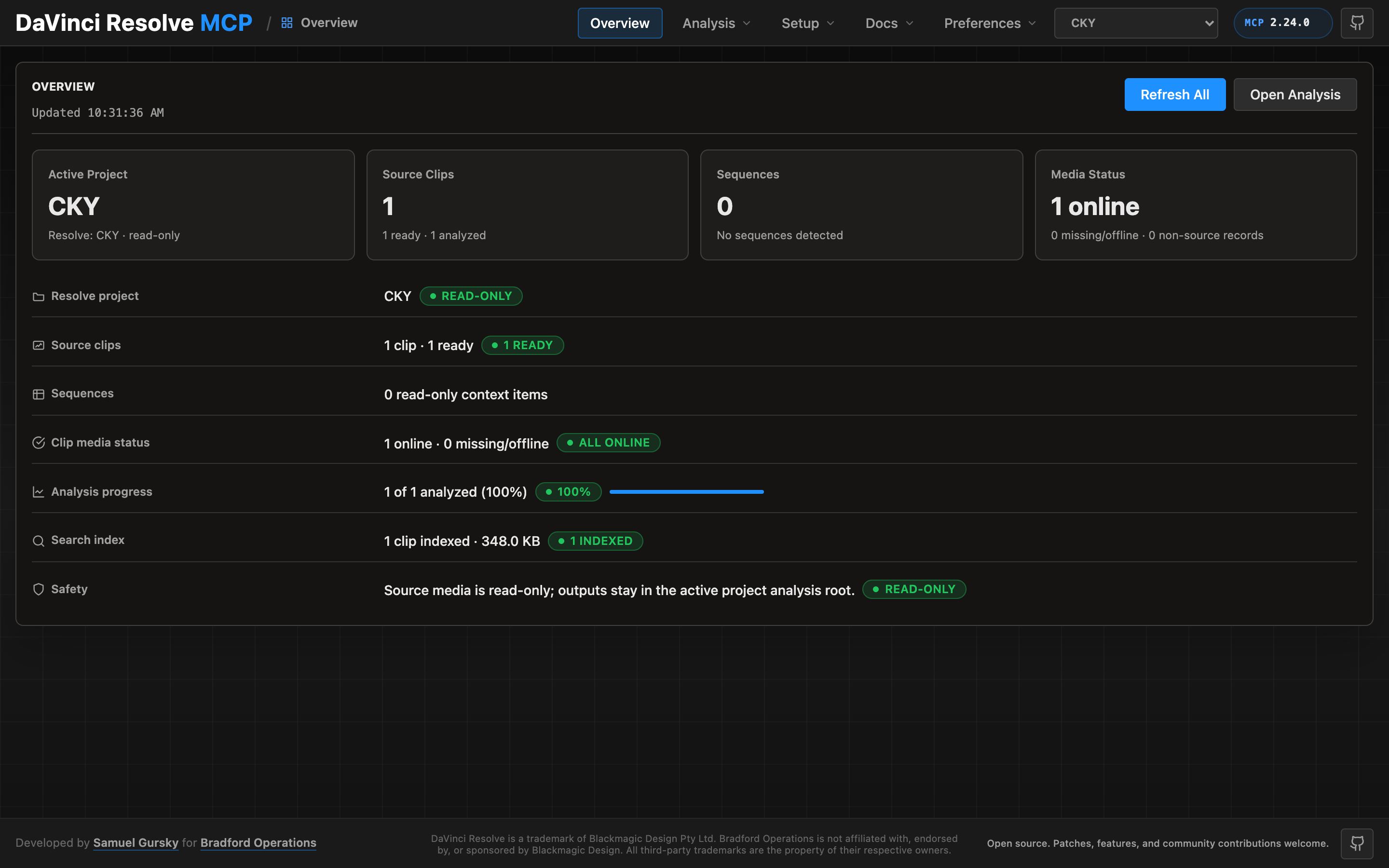
A local browser control panel ships with the server for inspecting Resolve state, running source-safe analysis, drilling into analyzed clips and shots, and editing analysis output inline. See the Control Panel Guide for the full tour.
Quick Start
npx davinci-resolve-mcp setup
Before connecting, open DaVinci Resolve Studio and set Preferences > General > External scripting using to Local. (On the free edition that preference does not help — see Free edition below.) The npm launcher installs a managed copy under your user application-data directory, then runs the universal Python installer. The installer creates a virtual environment, detects Resolve paths, and can configure Claude Desktop, Claude Code, Cursor, VS Code, Windsurf, Zed, Continue, Cline, Roo Code, OpenCode, Codex CLI, and JetBrains IDEs.
For source installs:
git clone https://github.com/samuelgursky/davinci-resolve-mcp.git
cd davinci-resolve-mcp
python install.py
For platform paths, client-specific config, and manual setup, see Installation and Configuration.
The installer and server check the latest GitHub release for MCP updates. Checks are best-effort and throttled; the server never blocks MCP startup for a prompt. The installer can prompt, snooze, ignore a release, disable checks, or apply an opt-in safe auto-update for clean git checkouts.
Free edition (in-app bridge)
Blackmagic gates external scripting to Studio: on the free edition
scriptapp("Resolve") refuses a foreign process, whatever the preference says.
Through Resolve 21.0.x the Workspace ▸ Scripts menu was not gated — a script
launched from it is handed the live resolve object (measured on free 21.0.3.7) —
so the server can reach the free edition through a small script that runs inside
Resolve and re-exports it over an authenticated loopback listener. Resolve 21.1
moved Python scripting to Studio. On free 21.1 the Scripts menu no longer lists
.py files at all (reported on Fedora 44 in #203; a Lua script in the same folder
lists normally). Whether the Console still runs Python there is unconfirmed, so
treat the bridge as a 21.0.x path until that is measured.
From the project's README.